Own & train · Free
Music copyright checker: see if a track matches a released recording
Fingerprint a track before you release or reuse it. A match shows the title, artist, label and ISRC where known; no match means it wasn't recognized.
1,000 free tokens to start · No card needed · Cancel paid plans anytime
Do more with Copyright Checker on Creator — from $9.99/mo, or ₹399/mo in India. 4,000 tokens a month. Billed $119.88 a year, or $12.49 month to month.
What you get
Know what you're working with
Copyright Checker matches the recording by its acoustic fingerprint, so a match names the released track, with its title, artist, album, label and ISRC where known.
Screen uploads and samples
Check a file someone sent you, a collaborator's stem or a sample clip trimmed with Media Converter before you build on it.
On every plan, from your Library
Copyright Checker runs on every plan, including Free, from AI Tools or from the Analyze menu of any track in your Library.
Who it's for
Independent artists
Screen a final master or a sample before release to see whether it matches a known recording.
Producers and beatmakers
Check stems, loops and samples from unknown sources before you build on them.
Labels and managers
Screen demos and submissions for known released recordings before you sign or release them.
YouTubers and content creators
Find out whether a music file someone sent you is a released song before it goes into a video.
When to use it
- Someone sent you audio and you don't know where it came from
- You're about to deliver a release to your distributor
- A demo submission sounds familiar
- You need a released track's ISRC or label
- You plan to remix or extend an upload and want to know what it is
What you can make with it
A step in your release checklist
Run each final master through Copyright Checker before upload, and treat any match as a question to settle first.
Demo submissions, vetted
Check demos sent to your label or channel for matches with released recordings before you consider them.
A name for an untitled file
Find the title and artist of a released song saved under a meaningless file name.
A check before you remix
Before you remix or extend an upload, check whether it's a released recording you'd need permission for.
The music inside a video
Extract a video's soundtrack with Media Converter and check whether it's a released song.
An old folder, audited
Work through untitled files in your Library to find which ones are released tracks.
A generation before release
Run a song you made on Soundverse; new audio normally comes back unmatched, which is a recognition result, not clearance.
Credits for a matched sample
When a sample matches, note its artist, label and ISRC so you know whom to ask for permission.
Screenshots
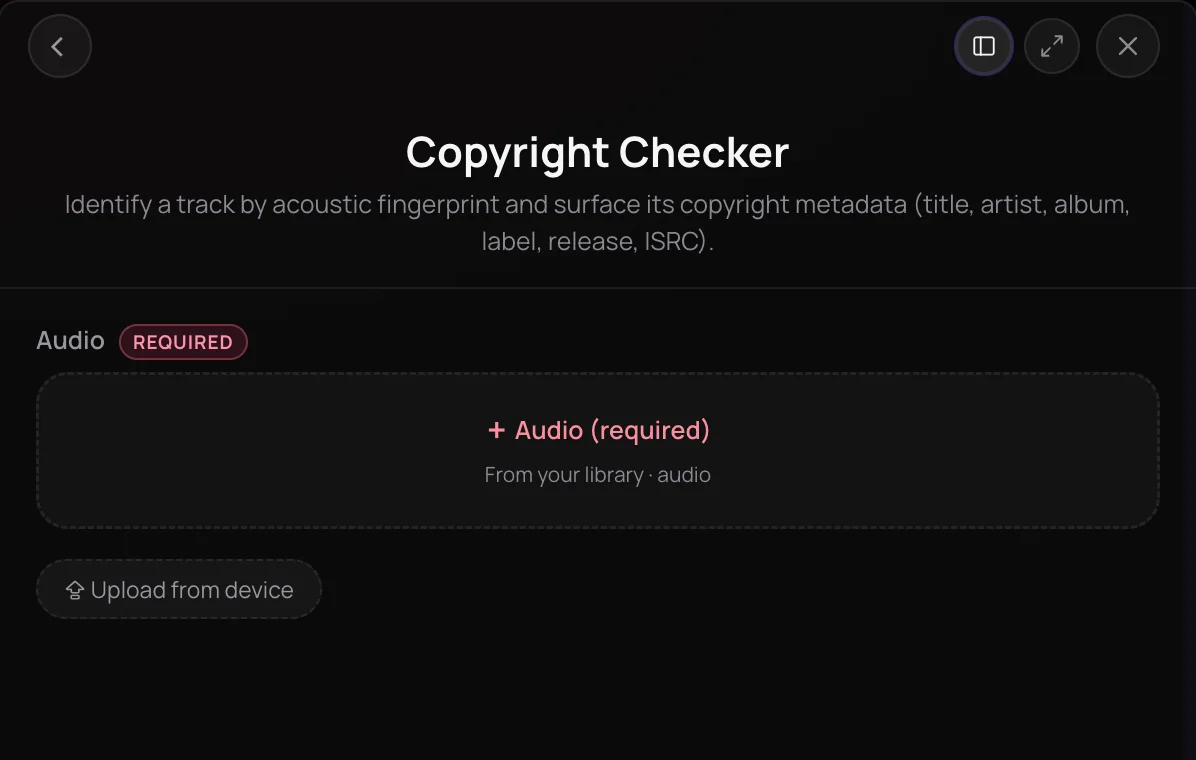
Copyright Checker is Soundverse's music copyright checker: it identifies a track by its acoustic fingerprint and tells you whether it matches a known, commercially released recording. It suits artists, producers and labels who want to screen uploads, samples or unfamiliar audio before releasing or reusing it. It is a recognition check, not legal clearance, so treat a clean result as a useful signal rather than permission.
See it in action
- Every AI Tool in “Own”: Trace, Copyright Check, Watermarks, Moderation and Licensing | Soundverse AI From 1:22. The Copyright Checker part of Soundverse's Own walkthrough, from input to result.
How it works
Open Copyright Checker
Find it in the Own section of AI Tools, or open a track's menu in your Library and choose Analyze, then Copyright Check.
Add your audio
Pick a track from your Library or upload one from your device. MP3, WAV, AAC, OGG, M4A, MP4 and FLAC files are accepted.
Run the check
Click Generate in Chat. Agent One fingerprints the audio and looks for a matching commercially released recording.
Read the result
A match lists the title, artist, album, label, release date and ISRC where known. No match is a valid result, not an error.
Why use Copyright Checker
Identifies the exact recording
Copyright Checker matches the recording itself by its acoustic fingerprint, so a match names the specific released track.
Release details on a match
When a track matches, you see its title, artist, album, label, release date and ISRC where available, so you know whose release it is.
No match is a clear answer
An unmatched track is reported as a normal result. Unreleased audio, including fresh Soundverse generations, normally comes back unmatched.
Built into your Library
Run it from the Analyze menu of any track in your Library, and the result is recorded on that file.
What it costs
Works on the Free plan. New accounts get 1,000 free tokens. On the Free plan it runs through Agent One, which gives free accounts 3 runs in all; sharing unlocks the 2nd and 3rd.
- Check one track: 20 tokens (about $0.05–$0.06 on Creator, or ₹2 in India).
Agent One runs this tool for you, and the agent's own steps are metered on top of the tool's price: about 7 tokens a step in Lite mode, 54 in Standard mode and 128 in Pro mode, the default on paid plans.
Creator $12.49 a month, or $9.99 a month billed yearly ($119.88 a year) · Pro $31.24 a month, or $24.99 a month billed yearly ($299.88 a year) · Max from $72 a month, or $60 a month billed yearly ($720 a year).
In India (PayU): Creator ₹499 a month, or ₹399 a month billed yearly (₹4,788 a year) · Pro ₹1,299 a month, or ₹1,039 a month billed yearly (₹12,468 a year) · Max from ₹2,999 a month, or ₹2,399 a month billed yearly (₹28,788 a year).
Prices outside India are in US dollars, billed through Stripe; in India they are in rupees, billed through PayU. Monthly tokens reset each month and don't roll over.
Frequently asked questions
Is Copyright Checker free?
Yes, Copyright Checker is available on every Soundverse plan, including Free, and each check uses tokens from your plan. It runs through Agent One, and on the Free plan your first Agent One generation is free and sharing Soundverse unlocks two more. Signing up costs nothing, and new accounts get 1,000 starter tokens. The panel shows the estimated cost before every Copyright Checker run.
Can Copyright Checker detect covers, samples or similar melodies?
Not reliably. Copyright Checker matches the recording itself by its acoustic fingerprint. It doesn't compare melodies, lyrics or arrangements, so a cover, a re-recording, an interpolation or a song that only sounds similar may not be flagged. A sample may be recognized if you check that clip on its own.
Is a Copyright Checker result legal clearance?
No. Copyright Checker is a recognition check against known recordings, not legal advice, a license or a guarantee. A match doesn't decide whether your use is allowed, and no match doesn't mean the audio is cleared. Confirm rights with the owners, or get legal advice, before you release or reuse audio.
What does a no-match result mean?
No match means Copyright Checker didn't recognize the audio as a known, commercially released recording. It is a normal result, not an error, and it is what you would expect for unreleased audio such as a fresh Soundverse generation. It doesn't prove the audio is original or cleared for use.
What is Copyright Checker, Soundverse's music copyright checker?
Copyright Checker is Soundverse's music copyright checker. It identifies a track by its acoustic fingerprint and reports whether it matches a known, commercially released recording, with the title, artist, album, label, release date and ISRC of any match it finds, where known.
How do I check if a song is copyrighted?
Open Copyright Checker in Soundverse, add the track from your Library or your device, and click Generate in Chat. Agent One tells you whether the audio matches a known released recording and, if it does, whose it is. No match only means no released recording was recognized, not that the audio is free to use.
What audio files does Copyright Checker accept?
Copyright Checker accepts MP3, WAV, AAC, OGG, M4A, MP4 audio and FLAC files. Pick a track from your Library or upload one from your device in the panel. You need the rights to anything you upload, and running a check doesn't change who owns the audio.
Can I check just one part of a track?
Yes. Trim the part you want, such as a sample or an intro, into its own file with Media Converter, then run Copyright Checker on that new file. Media Converter saves the trimmed copy to your Library and leaves the original as it was.
Does Copyright Checker cost tokens?
Yes. Each Copyright Checker run uses tokens from your Soundverse balance, and the panel shows the estimated cost before you start the check. Plans include different token amounts, and the Pricing page lists what each plan includes.
Check your audio against released recordings
Fingerprint a track and see whether it matches a known, commercially released recording.
