AI models · Creator+
Hear your idea two ways: Soundverse v7 next to Soundverse v8
Soundverse v7 takes the same lyrics, voice clones and references as Soundverse v8, at about 400 tokens a song, on the Creator plan and above.
1,000 free tokens to start · No card needed · Cancel paid plans anytime
Unlock Soundverse v7 with Creator — from $9.99/mo, or ₹399/mo in India. 4,000 tokens a month. Billed $119.88 a year, or $12.49 month to month.
What you get
A second take to compare
Run one prompt or set of lyrics on Soundverse v7 and Soundverse v8, then keep the take you prefer, at the same token cost.
Nothing new to learn
Soundverse v7 uses the same panels and inputs as the other Soundverse versions: Describe or Custom, voice clones and song references.
Every song named, with cover art
Each Soundverse v7 song arrives with a title and cover art at no extra token cost, ready to download or open in AI Studio.
Who it's for
Songwriters who compare takes
Get a second take of the same lyrics at the same token cost as Soundverse v8, and choose between the two.
Producers who liked the earlier model
Keep making songs on the model that appeared as "v6" in the Model menu before October 2026.
Content creators
Get a second sound for instrumental beds when a Soundverse v8 take isn't quite right.
When to use it
- A Soundverse v8 take is close but not right
- You made songs on the old "v6" menu entry before October 2026 and want that model back
- You want an alternative instrumental for the same tokens
- You're extending a song and want to hear another version's continuation
What you can make with it
One idea, two versions
Paste one set of lyrics, generate it once on Soundverse v7 and once on Soundverse v8, and release the one that fits.
Your earlier sound back
Pick Soundverse v7 to keep making songs on the model you knew as "v6".
Late-night R&B
Describe a smooth R&B song with silky vocals, Rhodes and 808s.
Bossa-nova-inspired pop
Describe Brazilian pop with nylon-string guitar, light percussion and warm vocals.
Lo-fi study beats
In AI Music Generator, describe a lo-fi hip hop beat with dusty drums, mellow Rhodes and vinyl crackle.
Another continuation
Choose Soundverse v7 in Extend Song to hear a different continuation of the same song.
A voice-clone song
Turn on Use custom voice to sing in your own voice clone on Soundverse v7.
A track in a reference's style
Pick Soundverse v7 in Similar Song Generator or Similar Music Generator, using a reference you have the rights to.
Screenshots
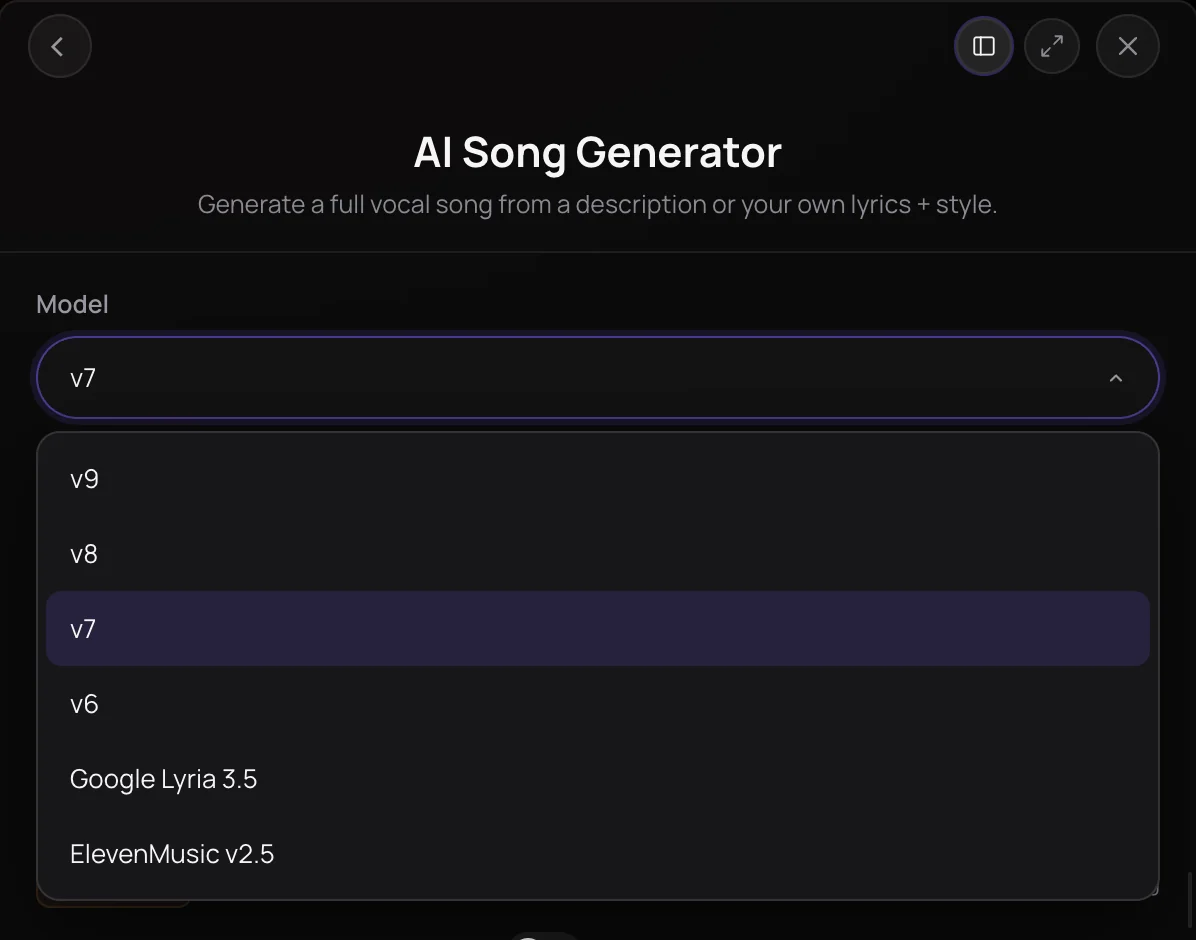
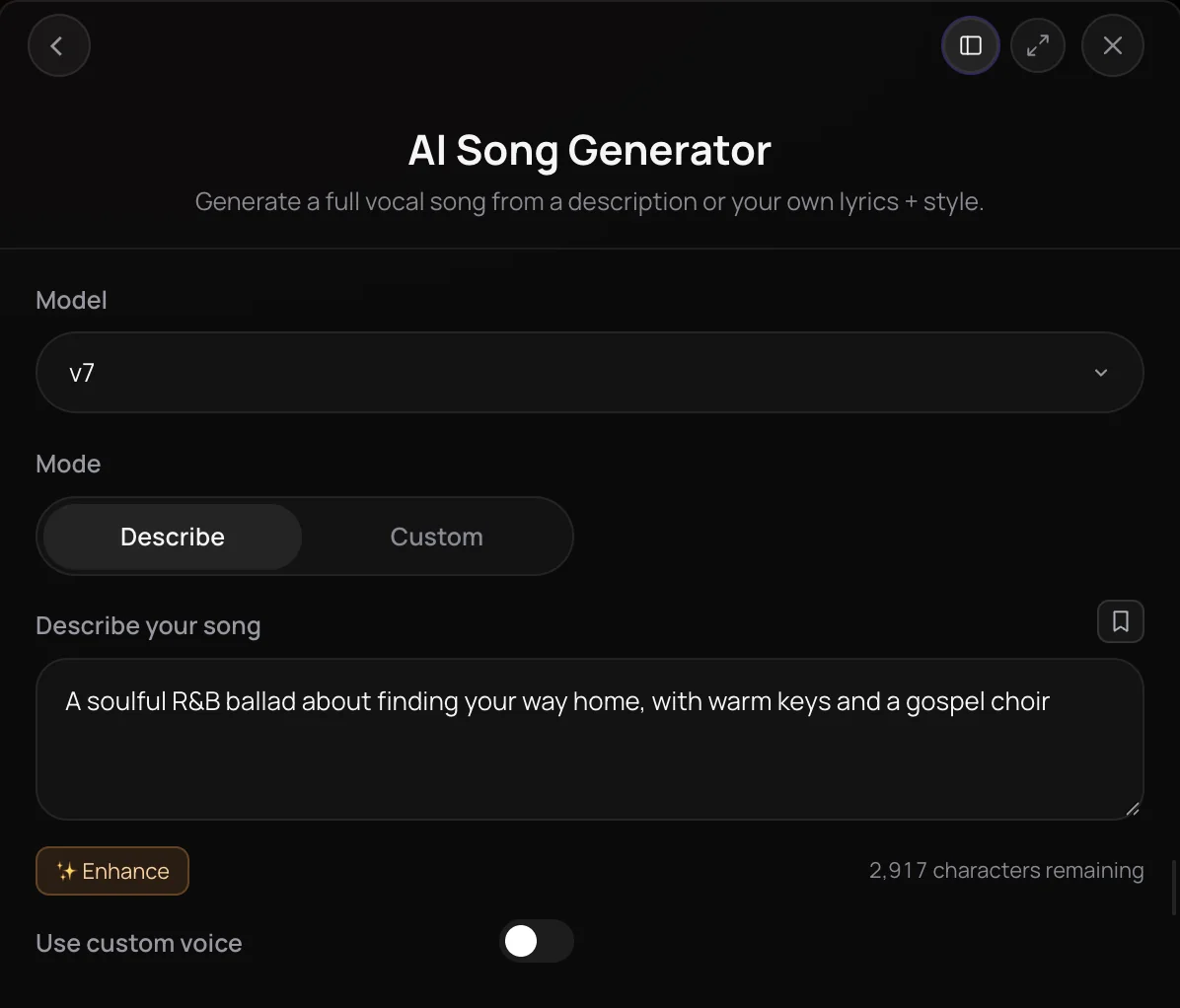
Soundverse v7 is one of Soundverse's numbered song models, two steps below the newest, Soundverse v9, and it makes full songs with vocals and instrumentals on the Creator plan and above. It costs the same tokens per song as Soundverse v8 and takes the same inputs, but no plan starts on it, so you pick it yourself in the Model menu. It's for Creator and Pro subscribers who want a second sound to compare with Soundverse v8 before keeping a take.
What you can do
What you can make with Soundverse v7
Pick Soundverse v7 in each tool's Model menu. It needs the Creator plan or above.
Songs with vocals (Creator+)
AI Song Generator: describe the song, or switch to Custom for your lyrics (up to 3,000 characters), a Style of Music and up to five Quick Style pills.
- Smooth late-night R&B about a phone call you almost didn't answer, silky female vocals, Rhodes and 808s
- Bossa-nova-inspired Brazilian pop, nylon-string guitar, light percussion, warm male vocals
Instrumentals (Creator+)
AI Music Generator: a prompt plus Genre, Theme, Vibe, Instruments and Tempo tags, for a track with no vocals.
- Lo-fi hip hop study beat, dusty drums, mellow Rhodes, vinyl crackle, 80 BPM
Songs from a melody or MIDI (Creator+)
Melody to Song Generator and MIDI to Song Generator: 5 to 60 seconds of hummed melody or a MIDI file, plus your lyrics.
More ways to use Soundverse v7
Soundverse v7 appears wherever Soundverse v8 does, one row below it.
Extend Song (Creator+)
In Extend Music, choose Extend Song, add a song and lyrics for the new part, and pick Soundverse v7. You get the whole song back with the new part attached.
Use custom voice (Creator+)
Sing in one of your voice clones. Making one with Train Voice Clone uses about 6,000 tokens, more than a month of Creator tokens.
Similar Song and Similar Music (Creator+)
Similar Song Generator and Similar Music Generator offer Soundverse v7 too, for a new song or instrumental in the style of a reference track.
How it works
Open AI Song Generator
Open AI Song Generator from AI Tools, or AI Music Generator for an instrumental. The Model menu starts on the newest version your plan includes.
Pick Soundverse v7
Open the Model menu and choose "v7", which is Soundverse v7. On the Free plan, Soundverse v7 is locked, and you're asked to upgrade before it runs.
Describe it or add lyrics
Describe the song, or switch to Custom to paste lyrics and set a style. A voice clone or a reference song works on Soundverse v7 too.
Generate and compare
Click Generate in Chat, then run the same idea on Soundverse v8 and keep the take you prefer.
Compare Soundverse models
| Model | Plans | Tokens per song | Default on | Extends a song | Reference song | Voice clone | Melody and MIDI |
|---|---|---|---|---|---|---|---|
| Soundverse v9 | Pro and Max | 500 | Pro and Max | No | Pro and Max | Yes | Yes |
| Soundverse v8 | Creator and up | 400 | Creator | Yes | Creator and up | Yes | Yes |
| Soundverse v7 | Creator and up | 400 | — | Yes | Creator and up | Yes | Yes |
| Soundverse v6 | Every plan | 300 | Free | Yes | Creator and up | Yes | Yes |
A voice clone is trained on Creator and up. Tokens per song are the same for a song and an instrumental.
What each plan includes
| What | Free | Creator | Pro | Max |
|---|---|---|---|---|
| Soundverse v7 songs and instrumentals | Not included | Included | Included | Included |
| Version the song panels and Agent One start on (No plan starts on Soundverse v7; pick it in the Model menu.) | Soundverse v6 | Soundverse v8 | Soundverse v9 | Soundverse v9 |
| Extend Song on Soundverse v7 | Not included | Included | Included | Included |
| Tokens (Max comes in five sizes.) | 1,000 once, at sign-up | 4,000 a month | 10,000 a month | 25,000 to 125,000 a month |
Why use Soundverse v7
A second sound, same price
Soundverse v7 and Soundverse v8 both use about 400 tokens a song, so trying one idea on each costs the same.
Same inputs as newer versions
Sing your lyrics, use a voice clone, or guide Soundverse v7 with a reference song, a hummed melody or a MIDI file.
Listed in Extend Song
Extend Song offers Soundverse v7 alongside Soundverse v8 and Soundverse v6, so you can pick it to continue a song with new lyrics.
What it costs
Needs Creator or above.
- Song with Soundverse v7: 400 tokens (about $1.00–$1.25 on Creator, or ₹40–₹50 in India).
- Instrumental with Soundverse v7: 400 tokens (about $1.00–$1.25 on Creator, or ₹40–₹50 in India).
- Song extension with Soundverse v7: 400 tokens (about $1.00–$1.25 on Creator, or ₹40–₹50 in India).
Agent One runs this tool for you, and the agent's own steps are metered on top of the tool's price: about 7 tokens a step in Lite mode, 54 in Standard mode and 128 in Pro mode, the default on paid plans.
Creator $12.49 a month, or $9.99 a month billed yearly ($119.88 a year) · Pro $31.24 a month, or $24.99 a month billed yearly ($299.88 a year) · Max from $72 a month, or $60 a month billed yearly ($720 a year).
In India (PayU): Creator ₹499 a month, or ₹399 a month billed yearly (₹4,788 a year) · Pro ₹1,299 a month, or ₹1,039 a month billed yearly (₹12,468 a year) · Max from ₹2,999 a month, or ₹2,399 a month billed yearly (₹28,788 a year).
Prices outside India are in US dollars, billed through Stripe; in India they are in rupees, billed through PayU. Monthly tokens reset each month and don't roll over.
Good to know
You choose it
No plan starts on Soundverse v7, and Agent One only uses it when you pick it on a tool.
No length setting
Soundverse v7 decides how long each song runs. Extend Song can lengthen it afterwards.
Creator plan and above
On Free, Soundverse v7 is locked, and you're asked to upgrade before it runs. The Free plan includes Soundverse v6.
Frequently asked questions
Is Soundverse v7 free?
No. Soundverse v7 is included on the Creator plan and above, and each song or instrumental costs about 400 tokens, the same as Soundverse v8 and more than Soundverse v6; AI Song Generator shows the price before you generate. Runs made in chat also go through Agent One, which adds at least 128 tokens in its Pro mode, the default on paid plans, or 7 in Lite mode. Signing up is free, and new accounts get 1,000 tokens for songs on Soundverse v6.
How good is Soundverse v7?
Soundverse publishes no sound-quality score for Soundverse v7, so compare by ear. Soundverse v7 runs the model the Model menu listed as "v6" until October 2026. Because Soundverse v7 and Soundverse v8 cost the same, the simplest test is to run one prompt on each and keep the take you prefer; on Pro, add Soundverse v9 to the comparison.
Can I use songs made with Soundverse v7 commercially?
Soundverse v7 needs the Creator plan or above, and paid plans include a commercial license; the Pricing page lists what each plan covers. You need the rights to any reference song, melody or MIDI file you use with Soundverse v7, and the singer's permission before you sing in a voice clone of their voice.
What can't Soundverse v7 do?
Soundverse v7 has no length setting, so the model decides how long each song runs; Extend Song can lengthen it afterwards. Agent One won't choose Soundverse v7 on its own, so pick it on a tool. It's locked on the Free plan and isn't the newest version, since Soundverse v9 needs Pro. Soundverse also publishes no language list for Soundverse v7, so test new languages on a short verse.
What is Soundverse v7?
Soundverse v7 is one of Soundverse's numbered song models for full songs with vocals and instrumentals, two steps below the newest, Soundverse v9. Soundverse v7 is included on the Creator plan and above, and you choose it yourself in the Model menu, because Creator accounts start on Soundverse v8.
Is Soundverse v7 the same model as before October 2026?
No. In October 2026, Soundverse moved each version up one number and added Soundverse v9 on top: Soundverse v7 now runs the model the Model menu listed as "v6", and the model listed as "v7" moved to Soundverse v8. To keep using the model you knew as "v7", pick Soundverse v8; for the one you knew as "v6", pick Soundverse v7.
Which Soundverse tools offer Soundverse v7?
AI Song Generator, AI Music Generator, Melody to Song Generator, MIDI to Song Generator, Similar Song Generator, Similar Music Generator and Extend Music's Extend Song mode all offer Soundverse v7. In an Agent One chat, Soundverse v7 is used only when you pick it: choose a tool such as AI Song Generator in the composer, then pick it in the Model menu.
Which languages and genres can Soundverse v7 sing?
Soundverse v7 takes any style you describe, and in Custom mode, the same Quick Style pills as every Soundverse version, from Pop, RnB and Latin to Bossa-Nova, Jazz and Lofi. There's no language setting, and Soundverse publishes no language list for Soundverse v7, so write the lyrics in the language you want and try a short verse first. Songs that follow a melody accept fewer lyric languages than AI Song Generator.
Should I use Soundverse v7 or Soundverse v8?
Choose by ear: both need the Creator plan and use about 400 tokens a song. Creator accounts start on Soundverse v8, which runs the model listed as "v7" until October 2026, while Soundverse v7 runs the one listed as "v6". Generate the same lyrics or description on each and keep the take you prefer.
Can I extend a song with Soundverse v7?
Yes. Open Extend Music, choose Extend Song, add the song and the lyrics for the new part, and pick Soundverse v7 (shown as "v7" in the Model / Version menu). Extend Song offers Soundverse v8, Soundverse v7 and Soundverse v6, but not Soundverse v9. You get the whole song back with the new section attached, ready to play in your chat.
Want to hear Soundverse v7 next to Soundverse v8?
Open AI Song Generator, choose Soundverse v7 ("v7" in the Model menu), and describe your song or paste your lyrics.
