Create · Creator+
Song to music video: a full video filmed and cut to your track
Bring a song or describe a new one. Agent One writes the script, quotes the cost, then films every scene and cuts the video to the music.
1,000 free tokens to start · No card needed · Cancel paid plans anytime
Unlock AI Music Video Generator with Creator — from $9.99/mo, or ₹399/mo in India. 4,000 tokens a month. Billed $119.88 a year, or $12.49 month to month.
What you get
Release visuals without a film crew
Get a directed video for your single, with scenes filmed and cut to the music, from a track you already have or a one-line idea.
A singer who performs your song
Turn on Lip Sync and the lead sings to camera in time with the vocals. Use an image reference of a face you own or have permission to use.
Know the cost before filming
Agent One writes the script and quotes the token cost for your approval before any scene is filmed.
Who it's for
Independent artists
Give a single its own directed video without a crew, a location or a shoot day.
Labels and managers
Make release videos for several artists' songs, approving each script and its cost before filming.
Virtual and animated artists
Cast your character from image references so the video is built around them.
Content creators
Get a vertical 9:16 music video for Shorts and Reels from a song or a one-line idea.
When to use it
- Your single is out, or nearly out, and has no video
- You want a performance video but can't film one
- A character or mascot should star in the video
- You have an idea for a song and want the song and the video together
- You want to approve the script and the cost before anything is filmed
What you can make with it
A video for a track made elsewhere
Upload a finished MP3, WAV, M4A or FLAC of up to 50 MB that you have the rights to, and Agent One writes the script around it.
The lead sings to camera
Turn on Lip Sync and add an image of your lead, using a face you own or have permission to use.
A story you outline
Turn off Auto-generate direction and write the characters, setting, camera style and story beats yourself.
Your character as the lead
Add up to nine image references for the cast and the setting so the video is built around the look you picked.
Song and video from one line
On Prompt to Music Video, one prompt describes both, and Agent One makes the song first, then films the video.
A vertical cut for phones
Set the aspect ratio to 9:16 for a music video made for Shorts and Reels.
Your lyrics, sung and filmed
In Custom with Generate Song, paste your lyrics and they're sung word for word before filming starts.
Screenshots
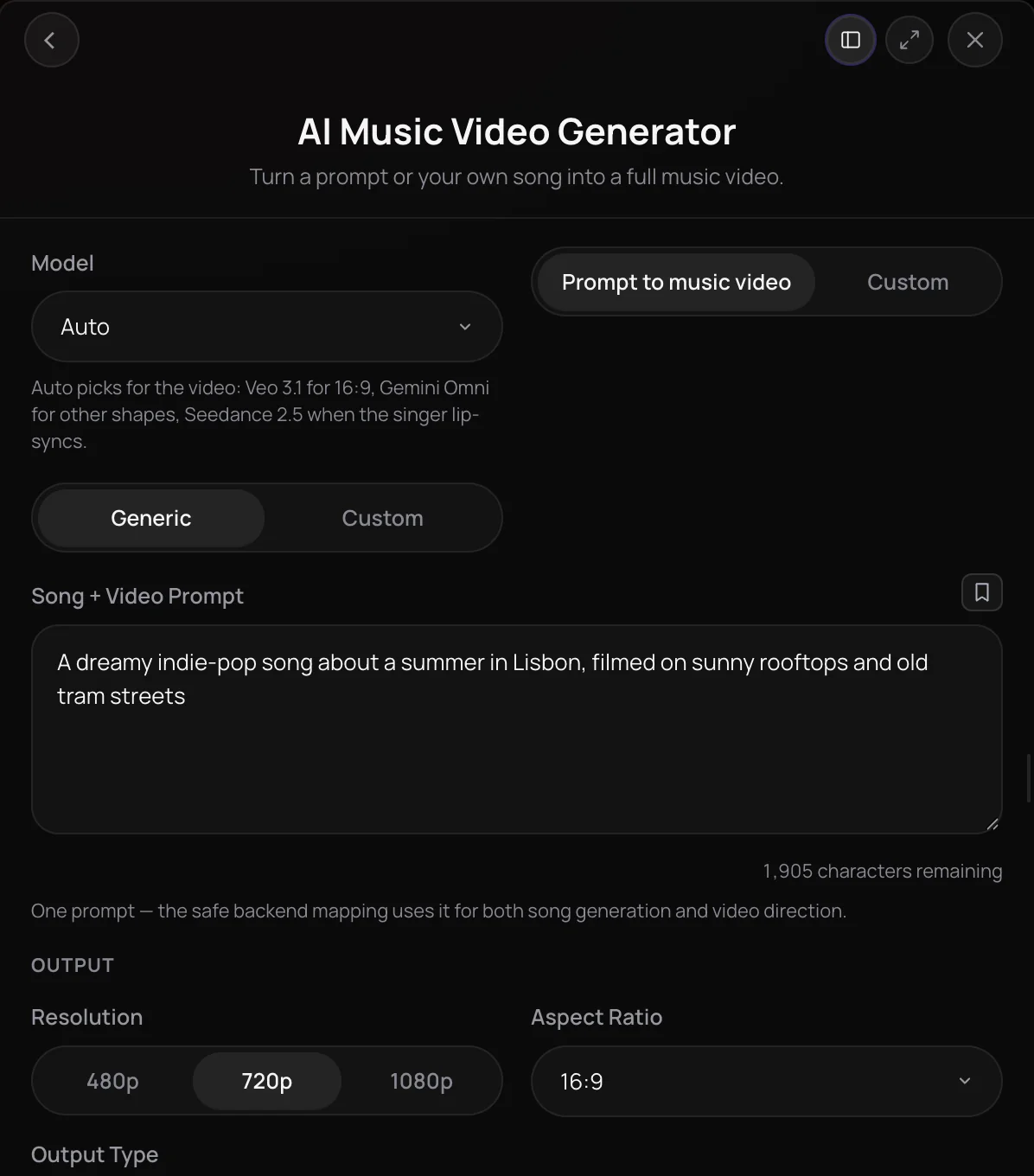
AI Music Video Generator is Soundverse's song to music video tool: give it a track you already have, or a prompt for a new song, and Agent One plans the video, films each scene and cuts it to the music. Leave the direction to the AI or set the characters, setting, camera movement and story yourself, add image references for the cast, and turn on lip sync for a performance video. It's built for artists and creators who need release visuals without a film crew.
See it in action
- AI Music Video Generator: From One Prompt to a Full Song and Music Video | Soundverse AI One prompt becomes a full song and a full music video, with every part left editable in AI Studio afterward.
- Prompt to Music Video: Turn Any Song and Character Into a Full AI Music Video | Soundverse AI A song, a character image and a prompt become a full music video, with planned scenes, a lip-synced performance and cuts to the music.
- Introducing Soundverse AI Music Video Generator | Sideways Eyes Sideways Eyes, a song and music video a Soundverse user made with AI Music Video Generator.
- Every AI Tool in Soundverse "Create": Songs, Vocals, SFX, Videos and More | Full Walkthrough From 3:10. The AI Music Video Generator part of Soundverse's Create walkthrough: a prompt — or your song — becomes a music video.
How it works
Pick how to start
Open AI Music Video Generator under Create in AI Tools. Use Prompt to Music Video to describe a new song and its video in one prompt, or Custom to generate a song with your own lyrics or use one you already have.
Direct the video
In Custom, leave Auto-generate direction on or write the characters, environment, camera movement and story. Add image references for the cast and setting, and turn on Lip Sync for a performance video.
Set the output and create
Leave Model on Auto or pick one, set the resolution and aspect ratio, then click Create.
Approve and watch it build
Agent One makes the song if there isn't one, writes a script and quotes the cost for you to approve, then films the scenes and renders the video in your chat. Open it in AI Studio to keep working on it.
Why use AI Music Video Generator
Start from a prompt or a track
Describe a new song and its video in one prompt, or give a finished song from your Library or device its own visual treatment.
Your lyrics or the AI's
When Custom generates the song, it uses the lyrics you add instead of writing new ones. Leave them blank and the AI writes them.
Performance or story
Turn on Lip Sync and the lead sings to camera in time with the vocals, or leave it off and let the AI choose the kind of video.
See the cost before filming
Agent One writes the script and quotes its cost for your approval before any filming starts.
What it costs
Needs Creator or above.
- 60-second vertical video with a new song, Gemini Omni Flash: about 7,500 tokens (about $18.73–$23.42 on Creator, with a top-up, or ₹748–₹936 in India).
- 60-second widescreen video with a new song, Veo 3.1: about 14,700 tokens (about $36.71–$45.90 on Creator, with a top-up, or ₹1,466–₹1,834 in India).
A music video costs about the length of the song times its video model's rate per second, plus the song.
Every run costs more than Creator's 4,000 monthly tokens, so on Creator it needs a top-up. Max ×1 includes 25,000 a month.
Agent One runs this tool for you, and the agent's own steps are metered on top of the tool's price: about 7 tokens a step in Lite mode, 54 in Standard mode and 128 in Pro mode, the default on paid plans.
Creator $12.49 a month, or $9.99 a month billed yearly ($119.88 a year) · Pro $31.24 a month, or $24.99 a month billed yearly ($299.88 a year) · Max from $72 a month, or $60 a month billed yearly ($720 a year).
In India (PayU): Creator ₹499 a month, or ₹399 a month billed yearly (₹4,788 a year) · Pro ₹1,299 a month, or ₹1,039 a month billed yearly (₹12,468 a year) · Max from ₹2,999 a month, or ₹2,399 a month billed yearly (₹28,788 a year).
Prices outside India are in US dollars, billed through Stripe; in India they are in rupees, billed through PayU. Monthly tokens reset each month and don't roll over.
Frequently asked questions
Is AI Music Video Generator free?
No. AI Music Video Generator is available on the Creator plan and above, and each video uses tokens from your plan. Every second of the song is filmed, so longer songs cost more, and Agent One quotes the cost for your approval before filming begins. A Soundverse account itself is free to create.
How many tokens does an AI music video use?
AI Music Video Generator films every second of your song, so the token cost grows with the song's length, and the model and resolution you pick set the rate per second. Making a new song or adding lip sync adds to it. Agent One quotes the full cost for your approval before filming starts. Even a 60-second video uses several thousand tokens, more than the Creator plan's 4,000 a month, and paid plans can add tokens with a top-up.
What shapes and resolutions can AI Music Video Generator make?
AI Music Video Generator is built for widescreen 16:9 and vertical 9:16 videos, filmed at up to 1080p depending on the model; it doesn't film in 4K. Leave Model on Auto and it picks a video model to suit the shape and whether the singer lip-syncs, or choose one yourself.
Can I use an AI music video commercially?
AI Music Video Generator is only available on paid plans, which add a commercial license; the Pricing page lists what each plan covers. You need the rights to the song you upload and to any image references, and you should only show a face you own or have permission to use.
What is AI Music Video Generator, the song to music video tool?
AI Music Video Generator is a song to music video tool in Soundverse: you bring a song, or describe one to create, and Agent One writes a script, films the scenes and cuts them to the music. You can steer the characters, setting, camera and story, add image references for the cast, and choose a lip-synced performance.
How do I turn my song into a music video?
Open AI Music Video Generator, choose Custom, then Use Existing Song, and pick the track from your Library or upload an MP3, WAV, M4A or FLAC file of up to 50 MB. Add a video description if you have an idea in mind, set the direction and output, and click Create. You need the rights to the song you upload.
Can I make a song and a music video from one prompt?
Yes. On the Prompt to Music Video tab, AI Music Video Generator takes one prompt that describes both the song and the video, makes the song first and then films a video for it. Switch that tab to Custom if you want to write the song prompt and the video description separately.
Can the singer lip-sync to my song?
Yes. In the Custom tab of AI Music Video Generator, turn on Lip Sync and the video becomes a performance in which the lead sings to camera, lip-synced to the vocals. Add an image reference of the character so the singer looks the way you want. Only use a face you own or have permission to use.
How is AI Music Video Generator different from AI Video Generator?
AI Video Generator makes one short clip of up to 30 seconds from a prompt, an image or an existing clip. AI Music Video Generator works from a whole song: it writes a script, films many scenes and cuts them to the music, with optional lip sync. Use AI Video Generator for single shots and AI Music Video Generator for a full video.
Ready to see your song?
Bring a track or start from a prompt, and let Agent One script, film and cut the video to your music.
