Analyze · Creator+
AI video describer: a timed breakdown of every scene in your video
Get scenes, dialogue, sound effects and music cues with timestamps, in chat or on your AI Studio timeline, ready to plan the sound. On Creator and above.
1,000 free tokens to start · No card needed · Cancel paid plans anytime
Unlock AI Video Describer with Creator — from $9.99/mo, or ₹399/mo in India. 4,000 tokens a month. Billed $119.88 a year, or $12.49 month to month.
What you get
Know what each moment needs
Scenes, dialogue lines and sound effects come with timestamps, so you can jump straight to the moment that needs work.
A music brief in one pass
Music & tone gives music cues with a genre, mood, tempo and instruments, ready to hand to a composer or turn into a track.
From description to soundtrack
In AI Studio, Describe and Generate Audio turns the description into music, sound effect and dialogue tracks at their moments.
Who it's for
Filmmakers and video editors
Get a timed scene list to plan a score and a sound pass before you start.
YouTubers and content creators
Find the moments in a video where a sound effect or a music change should land, with any dialogue written out and timed.
Ad and brand teams
Turn an ad cut into a music brief with genre, mood, tempo and instruments.
Game and app developers
Break a trailer or gameplay capture into timed moments that need music or effects.
Music video makers
Log footage scene by scene, with mood and actions, to plan the edit around a song.
When to use it
- A cut is locked and needs a score and sound effects
- You're briefing a composer or sound designer on a video
- A silent clip needs sound and you want ideas for what fits
- You need a log of who says what, and when
- You're about to build a soundtrack in AI Studio
What you can make with it
A spotting list for a short film
Use the timed scenes and effects to plan where music comes in and out, and what each moment needs.
Sound ideas for silent footage
Describe a silent clip and get the sounds its actions would make and a suggested score, plus suggested lines where people are visibly talking.
A music brief for an ad
Run a 30-second ad cut and hand the Music & tone notes to a composer or paste them into a generator.
A rough soundtrack from footage
Describe a clip in AI Studio, then run Describe and Generate Audio on it for a first pass of music, effects and dialogue.
Hit points in a trailer
Mark the moments in a trailer or gameplay capture where effects or a music change should land.
A scene log for a music video
Get your music video footage logged scene by scene, with mood, objects and actions, to plan the edit.
Long videos in one pass
Describe a long video, up to 45 minutes and 200 MB, to plan sound for a vlog, a talk or a short documentary.
Screenshots
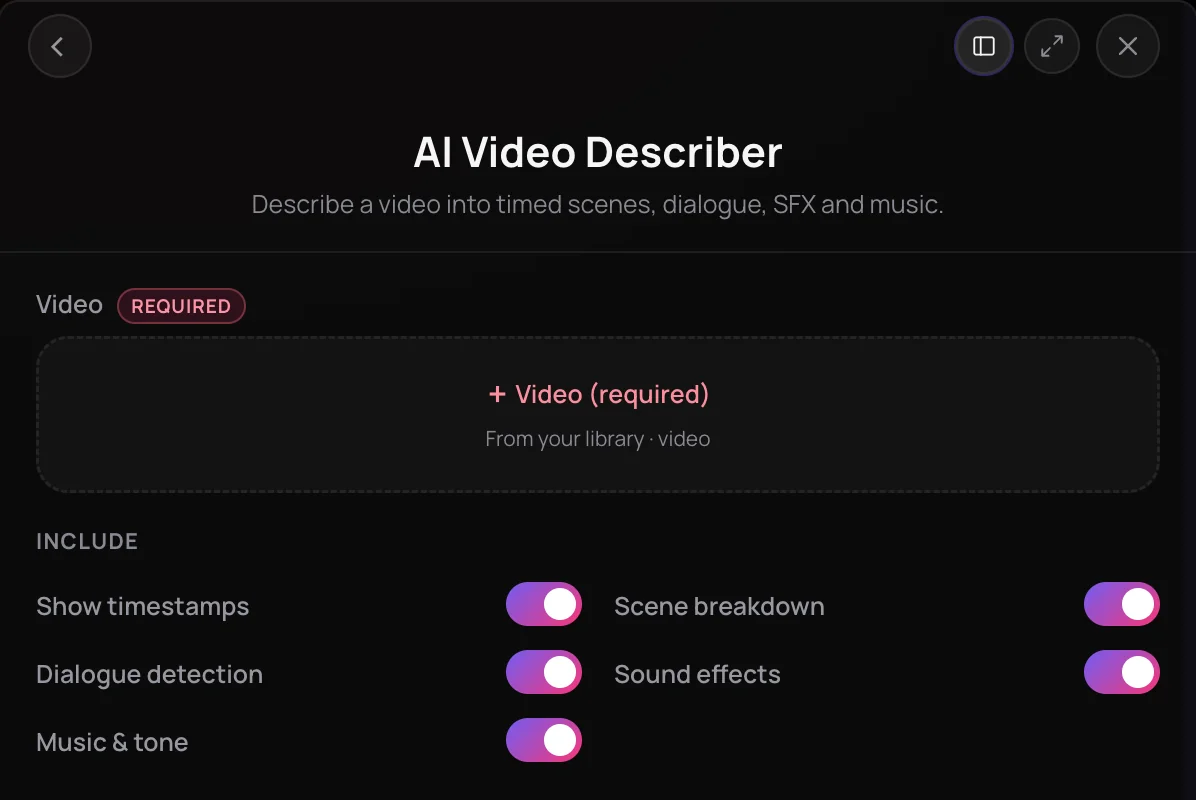
AI Video Describer breaks a video down into timed scenes, dialogue, sound effects and music, so you know what each moment needs before you score or edit it. It's built for filmmakers, editors, music video makers and creators planning a soundtrack, a sound design pass or an edit. Each scene comes with its mood, objects and actions, and in AI Studio the description sits on your timeline, ready to turn into audio.
See it in action
- Introducing AI Video Describer - Drop in a video. Get the soundtrack. Soundverse AI Studio AI Studio breaks a video down scene by scene, with sound effect, music and dialogue cues on the timeline, then turns a description into a song.
- Every AI Tool in Soundverse “Analyze”: Tempo and Key, Audio to Prompt, Transcription and More From 1:09. The AI Video Describer part of Soundverse's Analyze walkthrough, from input to result.
How it works
Open AI Video Describer
Choose AI Video Describer from the Analyze tools in AI Tools, or pick Describe Video from Analyze on a video in your Library.
Pick a video
Select an MP4 or WebM video from your Soundverse Library in the Video field.
Choose what to include
Keep or switch off Show timestamps, Scene breakdown, Dialogue detection, Sound effects and Music & tone. All five are on by default.
Generate the breakdown
Click Generate in Chat for a written breakdown from Agent One. From a video clip in AI Studio, click Generate in Studio and the description appears on the timeline.
Why use AI Video Describer
Everything is timed
Scenes, dialogue lines and sound effects come with timestamps, so you can jump straight to the moment that needs work.
Scenes in detail
Each scene gets a description plus its mood, the objects in view and the actions taking place.
Music cues included
Music & tone gives music cues with a genre, mood, tempo and instruments, plus notes you can turn into a brief.
Ready to become audio
In AI Studio, Describe and Generate Audio turns the description into music, sound effect and dialogue tracks.
What it costs
Needs Creator or above.
- Describe a 1-minute video, every section on: about 87 tokens (about $0.22–$0.27 on Creator, or ₹9–₹11 in India).
The price grows with the video's length: about 300 tokens for a 5-minute video.
Agent One runs this tool for you, and the agent's own steps are metered on top of the tool's price: about 7 tokens a step in Lite mode, 54 in Standard mode and 128 in Pro mode, the default on paid plans.
Creator $12.49 a month, or $9.99 a month billed yearly ($119.88 a year) · Pro $31.24 a month, or $24.99 a month billed yearly ($299.88 a year) · Max from $72 a month, or $60 a month billed yearly ($720 a year).
In India (PayU): Creator ₹499 a month, or ₹399 a month billed yearly (₹4,788 a year) · Pro ₹1,299 a month, or ₹1,039 a month billed yearly (₹12,468 a year) · Max from ₹2,999 a month, or ₹2,399 a month billed yearly (₹28,788 a year).
Prices outside India are in US dollars, billed through Stripe; in India they are in rupees, billed through PayU. Monthly tokens reset each month and don't roll over.
Frequently asked questions
Is AI Video Describer free?
No. AI Video Describer is available on the Creator plan and above. Each run uses tokens from your plan, and the cost depends on the length of the video. Soundverse is free to sign up and new accounts get free starter tokens, but describing a video needs a paid plan.
How many tokens does AI Video Describer use?
AI Video Describer is priced by the video's length: with every section on, a 1-minute video is about 90 tokens, a 10-minute video about 550, and the 45-minute maximum about 4,700. Turning sections off lowers the price a little. Generate in Chat also adds Agent One's own charge for writing up the breakdown. The Creator plan adds 4,000 tokens a month and Pro adds 10,000.
Where does AI Video Describer fall short?
AI Video Describer describes video; it doesn't generate audio or edit the footage. It takes videos up to 45 minutes long and 200 MB. When speech is inaudible, or a video is silent or has no music, it suggests lines, sound effects or a score that would fit. Its scenes and timings are an automated reading of the video, so treat them as a starting point and check them against the footage before you rely on them.
Can I use AI Video Describer for client work?
AI Video Describer needs Creator or above, and paid plans add a commercial license; the Pricing page lists what each plan covers. On the Free plan, what you make is for personal use. You need the rights to anything you upload, including every video you describe.
What is AI Video Describer?
AI Video Describer is a Soundverse tool that turns a video into a timed breakdown of its scenes, dialogue, sound effects and music. It's built for creators who score, edit or plan audio for video, and it works in chat or directly on the AI Studio timeline.
How do I describe a video with AI?
Open AI Video Describer in Soundverse, select an MP4 or WebM video from your Library, choose which sections to include and click Generate in Chat. Agent One writes up the scenes, dialogue, sound effects and music with timestamps. In AI Studio, right-click a video clip and choose AI Tools, then AI Video Describer, to describe it on the timeline.
What videos can I describe, and how long can they be?
AI Video Describer takes MP4 or WebM video from your Soundverse Library, up to 45 minutes long and 200 MB. If the file is on your device, add it to your Library first. Longer videos use more tokens, because the cost follows the length of the video.
What does the breakdown include?
AI Video Describer covers four sections you can switch on or off: Scene breakdown, with each scene's mood, objects and actions; Dialogue detection, with each line and its speaker; Sound effects, timed to their moments; and Music & tone, with genre, mood, tempo and instruments. Show timestamps adds times throughout.
Can I turn the description into a soundtrack?
Yes. Once AI Video Describer has described a clip in AI Studio, right-click the clip, open AI Tools and choose Describe and Generate Audio. Soundverse reuses the description and generates the sound effects, music and dialogue it lists, each on its own track at its moment. If you only need effects, use Video to SFX instead.
Ready to see what your video needs?
Pick a video and get its scenes, dialogue, sound effects and music, each with timestamps.
