AI models · Creator+
ElevenMusic v2.5: your lyrics sung as written, at your length
Paste lyrics with [Verse] and [Chorus] tags, pick a length from 15 seconds to 5 minutes, and ElevenMusic v2.5 sings each section in order.
1,000 free tokens to start · No card needed · Cancel paid plans anytime
Unlock ElevenMusic v2.5 with Creator — from $9.99/mo, or ₹399/mo in India. 4,000 tokens a month. Billed $119.88 a year, or $12.49 month to month.
What you get
Words you wrote, in order
In Custom mode each tag becomes its own section, sung with your lines rather than rewritten ones.
Music that fits the slot
Set 15 seconds to 5 minutes, or score a video up to 10 minutes long, for reels, videos and edits.
Fix one part, keep the rest
In Inpainting, ElevenMusic v2.5 re-sings a section you select and leaves the rest of the song as it was.
Who it's for
Songwriters with finished lyrics
Hear each tagged section of your lyrics sung in the order you wrote it.
Video creators
Score an uploaded video, or set an exact length, so the music fits the cut.
Podcasters and streamers
Make ambient beds and repeating loops to sit under talk or a stream.
Game developers
Make repeating loops and ambience for levels and menus.
Producers
Rewrite one section of a song with Inpainting, or guide a new track with a short reference clip.
When to use it
- Every word of your lyrics has to be sung as written
- Your video or slot has a fixed length the music must match
- One chorus is wrong but the rest of the song works
- You need a loop or an ambient bed rather than a full song
- You want the feel of a short reference clip without copying it
- You want the MP3 marked as AI-generated
What you can make with it
Lyrics sung word for word
Lay out [Verse], [Chorus] and [Bridge] in Custom mode; an empty tag such as [Intro] gives you an instrumental passage.
Music at an exact length
Choose any Length between 15 seconds and five minutes so the music fits an intro, a reel or a short film.
A score for your video
Add your finished edit, up to 10 minutes, as an MP4, MOV or WebM file, and the score is written to its length and pace.
A loop for a beat or a level
Set Type to Loop for a repeating section to build a beat on or to play under a game level.
An ambient bed
Set Type to Ambience for a calm bed, like rain and piano under a study stream.
One section rewritten
In Inpainting, select the chorus that isn't working and have ElevenMusic v2.5 re-sing just that part, with new words or the old ones.
A reference that guides, not copies
Choose a clip of 30 seconds or less from a track you have the rights to, and set the follow strength from Loosely to Very closely.
Styles to steer away from
List styles to avoid under Advanced, so the track keeps clear of a sound you don't want.
A higher-bitrate file
Choose High (320 kbps) quality under Advanced instead of Standard.
An AI-generated label in the file
Turn on the AI-generated credential (C2PA) under Advanced to mark the MP3 as made with AI.
Screenshots
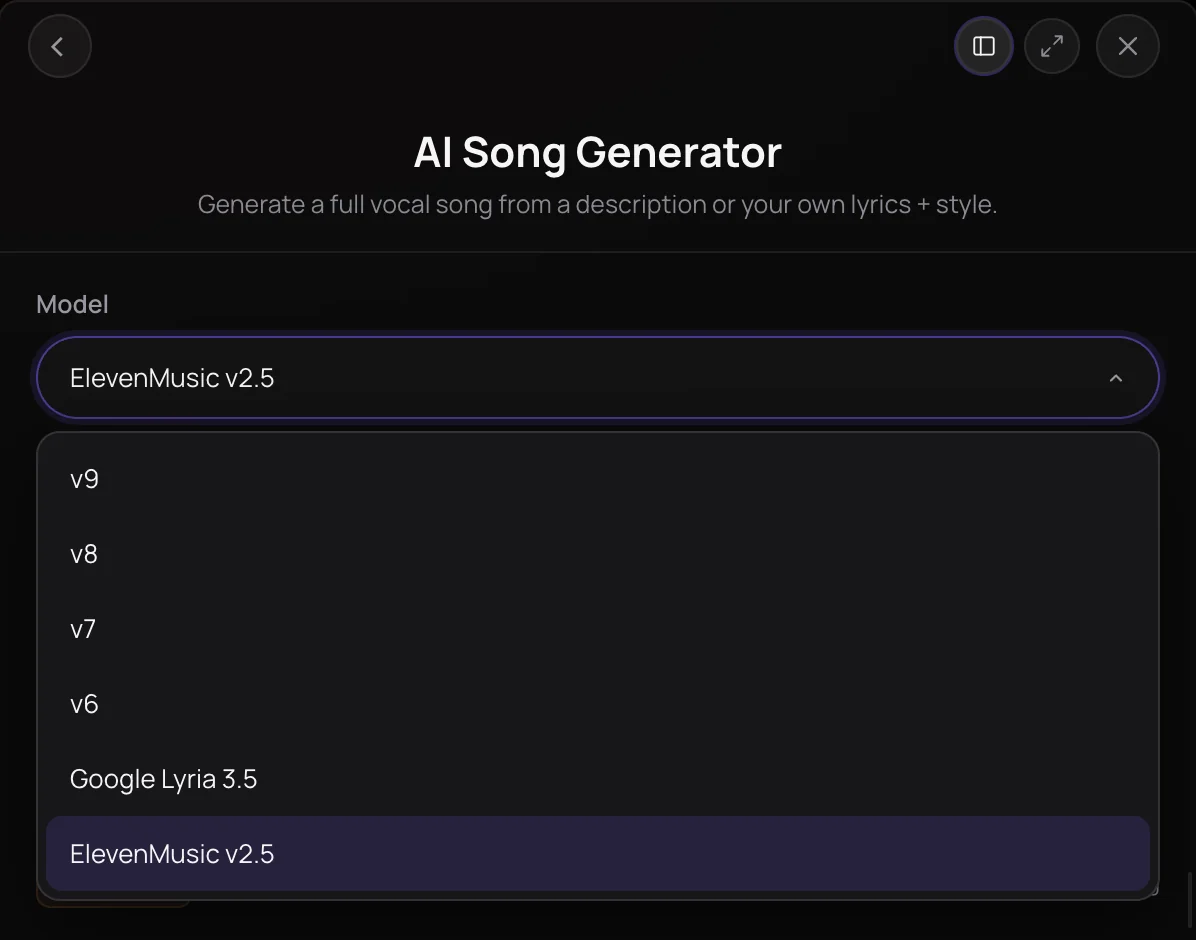
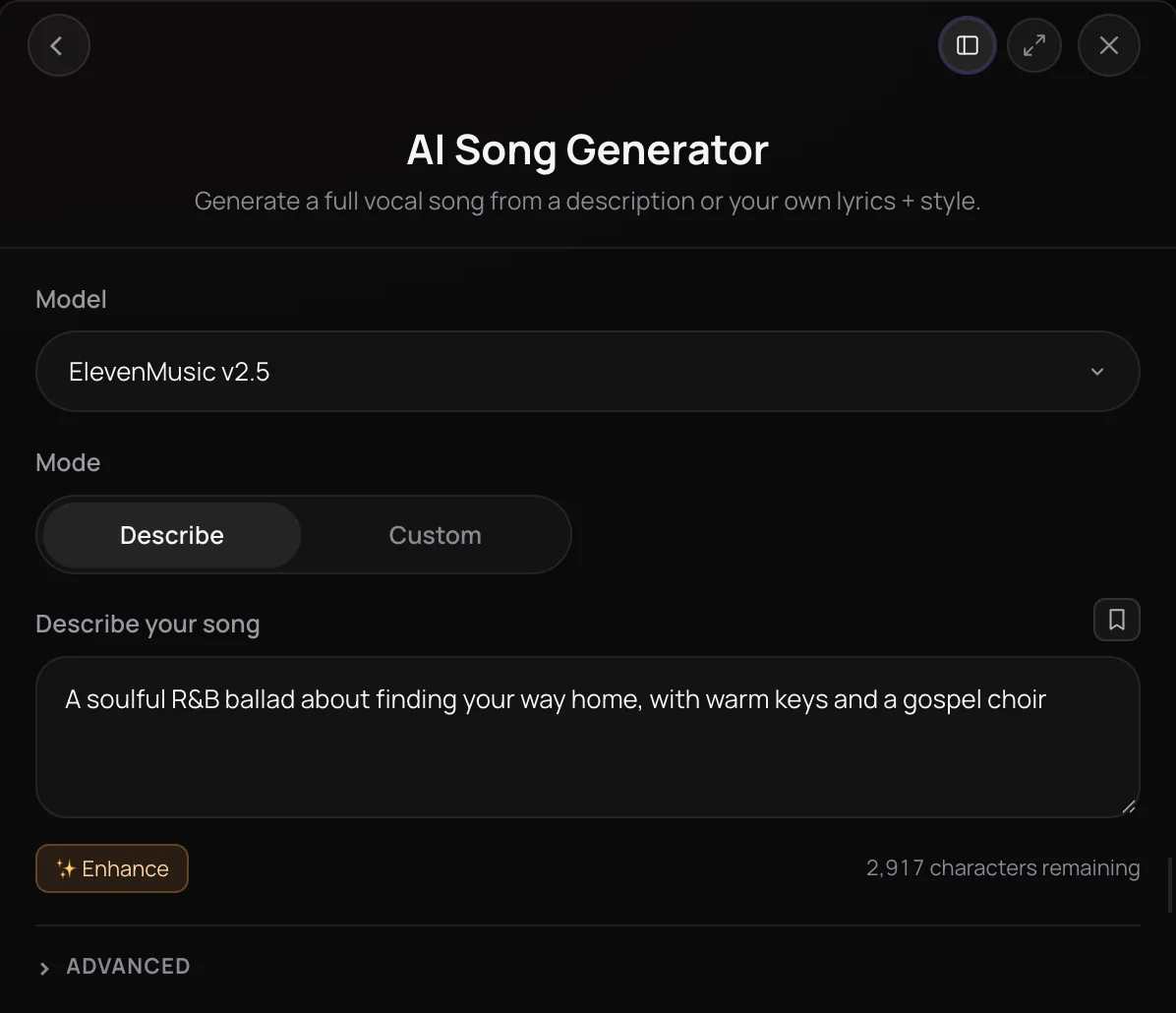
ElevenMusic v2.5 is ElevenLabs' music model, offered in Soundverse's AI Song Generator, AI Music Generator and Inpainting. It sings your lyrics as written, section by section, and lets you set a length from 15 seconds to five minutes, follow up to 30 seconds of a reference track, make loops and ambience, or score a video. It's for songwriters, video creators and producers on the Creator plan and above who need control over the words, the length and the feel.
See it in action
- New AI Models on Soundverse: Google Lyria 3.5, Veo 3.1, Seedance 2.5 and More Soundverse runs one Halloween brief through each new model, ElevenMusic v2.5 and Google Lyria 3.5 among them, and shows exactly what came back.
What you can do
Songs and lyrics
In AI Song Generator, on the Creator plan and above.
Lyrics sung as written (Creator+)
In Custom mode, each [Verse], [Chorus] or [Bridge] becomes its own section, sung in order; a tag with no lines, like [Intro], becomes an instrumental part.
- Bedroom pop about a city at 5 a.m., soft female vocals, warm synths and a slow drum machine
A length you choose (Creator+)
Pick Auto, which sizes the song to your lyrics, or a set length from 15 seconds to five minutes.
Names pronounced carefully (Creator+)
Turn on Pronounce names carefully to spell names phonetically, so they're sung clearly when the song is written from your description.
Instrumentals, loops and video scores
In AI Music Generator, on the Creator plan and above.
Track, Loop or Ambience (Creator+)
Choose a full track, a repeating loop or an ambient bed with the Type control.
- A 30-second upbeat jingle with acoustic guitar, claps and a whistled hook
- A calm rain-and-piano ambience for a study stream
Score a video (Creator+)
Upload an MP4, MOV or WebM video of up to 10 minutes and 200 MB, and the music is written to its pace and length.
Fine control and editing
Under Advanced, and in Inpainting.
Audio reference (Creator+)
Pick up to 30 seconds of a track to guide the sound, and follow it loosely, balanced, closely or very closely. It's never copied.
Advanced settings (Creator+)
Avoid these styles, finetunes, Music v2.5 or Music v2, Standard or High (320 kbps) quality, a seed, and an AI-generated credential (C2PA).
Inpainting (Creator+)
Select part of a song up to 10 minutes long, and ElevenMusic v2.5 sings new lyrics there, or the same words in a new way, and keeps the rest.
How it works
Pick ElevenMusic v2.5
Open AI Song Generator, AI Music Generator or Inpainting from AI Tools, and choose ElevenMusic v2.5 in the Model menu.
Describe it or add lyrics
Describe the music, or switch AI Song Generator to Custom and paste lyrics with tags such as [Verse] and [Chorus]. Each tag becomes a section, sung as written.
Set the length and extras
In AI Song Generator or AI Music Generator, open Advanced to pick a Length or leave it on Auto, list styles to avoid, and add an audio reference or High (320 kbps) quality.
Generate in Chat
Click Generate in Chat. The track lands in your chat, ready to play, download or open in AI Studio.
Why use ElevenMusic v2.5
Lyrics sung as written
In Custom mode, each [Verse], [Chorus] or [Bridge] becomes its own section, sung in order with your words rather than rewritten ones.
A length you choose
Leave Length on Auto, which sizes the song to your lyrics when you give them, or pick a set length from 15 seconds to five minutes. Tokens follow the track's length.
Loops, beds and scores
In AI Music Generator, choose Track, Loop or Ambience, or upload a video up to 10 minutes long and get music written to its pace and length.
Rewrite one section
In Inpainting, select part of a song, and ElevenMusic v2.5 sings new lyrics there, or the same words in a new way, and keeps the rest.
What it costs
Needs Creator or above.
- 3-minute song: 720 tokens at 4 tokens a second (about $1.80–$2.25 on Creator, or ₹72–₹90 in India).
- 30-second clip: 120 tokens at 4 tokens a second (about $0.30–$0.37 on Creator, or ₹12–₹15 in India).
Songs can run from 3 seconds to 5 minutes, at 4 tokens a second.
Agent One runs this tool for you, and the agent's own steps are metered on top of the tool's price: about 7 tokens a step in Lite mode, 54 in Standard mode and 128 in Pro mode, the default on paid plans.
Creator $12.49 a month, or $9.99 a month billed yearly ($119.88 a year) · Pro $31.24 a month, or $24.99 a month billed yearly ($299.88 a year) · Max from $72 a month, or $60 a month billed yearly ($720 a year).
In India (PayU): Creator ₹499 a month, or ₹399 a month billed yearly (₹4,788 a year) · Pro ₹1,299 a month, or ₹1,039 a month billed yearly (₹12,468 a year) · Max from ₹2,999 a month, or ₹2,399 a month billed yearly (₹28,788 a year).
Prices outside India are in US dollars, billed through Stripe; in India they are in rupees, billed through PayU. Monthly tokens reset each month and don't roll over.
Good to know
No voice clones
ElevenMusic v2.5 can't sing in your voice clone. Use a Soundverse version with Use custom voice for that.
Some requests are refused
Prompts that name a real artist or song, copyrighted lyrics, and reference clips flagged as copyrighted are refused.
Video scores skip some settings
When you score a video, the music matches the video's length, and the audio reference, finetune and seed aren't used.
Frequently asked questions
Is ElevenMusic v2.5 free?
No. ElevenMusic v2.5 is available on the Creator plan and above, and it's priced by length: about 4 tokens per second of music, so a 3-minute track is about 720 tokens; in Inpainting, the whole song's length counts. Runs made in chat also go through Agent One, which adds at least 128 tokens in its Pro mode, the default on paid plans, or 7 in Lite mode. On the Free plan, ElevenMusic v2.5 is locked, but signing up for Soundverse is free.
How good is ElevenMusic v2.5?
Judge ElevenMusic v2.5 on your own lyrics. In October 2026, Soundverse posted a video that runs one Halloween brief through each of its new models, ElevenMusic v2.5 included, and shows exactly what came back. ElevenMusic v2.5 shares a Model menu with Google Lyria 3.5 and the Soundverse versions, so you can run one prompt on each, and High (320 kbps) quality is a setting under Advanced.
Can I use ElevenMusic v2.5 tracks commercially?
Check before you publish. ElevenMusic v2.5 runs on the Creator plan and above, and what you can do with an ElevenMusic v2.5 track depends on your plan: see Pricing and Terms for what each plan covers. You need the rights to any reference clip, video or song you upload. Under Advanced, you can also add an AI-generated credential (C2PA) that marks the MP3 as AI-generated.
What can't ElevenMusic v2.5 do?
ElevenMusic v2.5 can't sing in your voice clone; for that, use AI Song Generator on a Soundverse version with Use custom voice. It refuses prompts that name a real artist or song, copyrighted lyrics, and reference clips flagged as copyrighted. A seed gives a similar result, not an identical one, and when you score a video, ElevenMusic v2.5 skips the reference, finetune, length and seed settings.
What is ElevenMusic v2.5?
ElevenMusic v2.5 is ElevenLabs' music model, available on Soundverse as a choice in the Model menu of AI Song Generator, AI Music Generator and Inpainting. On Soundverse, ElevenMusic v2.5 sings your lyrics as written, makes songs and instrumentals at a length you set, scores videos and rewrites single sections of a song.
How do I use ElevenMusic v2.5 on Soundverse?
Open AI Song Generator, AI Music Generator or Inpainting from AI Tools and choose ElevenMusic v2.5 in the Model menu; its own settings, such as Length and the audio reference, sit under Advanced. In an Agent One chat, mention ElevenLabs, as in "make a bedroom pop song about a city at 5am with ElevenLabs". Agent One uses ElevenMusic v2.5 only when you ask for it.
Does ElevenMusic v2.5 sing my lyrics exactly as written?
Yes. In AI Song Generator's Custom mode, ElevenMusic v2.5 turns each tag, such as [Verse] or [Chorus], into its own section and sings your lines in order, as written; a tag with no lines, like [Intro], becomes an instrumental part. In Describe mode, ElevenMusic v2.5 writes the lyrics from your description. Your lyrics must be original, since copyrighted lyrics are refused.
How long can an ElevenMusic v2.5 track be?
In AI Song Generator and AI Music Generator, ElevenMusic v2.5's Length setting runs from 15 seconds to five minutes, or Auto, which sizes the track to your lyrics when you give them. When you score a video, the music matches the video's length, for videos up to 10 minutes and 200 MB. In Inpainting, ElevenMusic v2.5 edits songs up to 10 minutes long.
How is ElevenMusic v2.5 different from Google Lyria 3.5?
Both are Creator-plan models in AI Song Generator and AI Music Generator. Google Lyria 3.5 works from text alone, has no length setting and uses about 500 tokens per song. ElevenMusic v2.5 sings lyrics section by section as written, takes a length and an audio reference, makes loops, ambience and video scores, also works in Inpainting, and is priced by the length of the track.
Ready to hear your lyrics as written?
Open AI Song Generator, choose ElevenMusic v2.5 in the Model menu, and paste your lyrics or describe your song.
