AI models · Creator+
Seedance 2.0 clips of 4 to 15 seconds at up to 1080p, in six shapes
The default model in AI Video Generator: clips at 480p, 720p or 1080p from a prompt, frames or references, with lip-sync to a vocal. Creator plan and up.
1,000 free tokens to start · No card needed · Cancel paid plans anytime
Unlock Seedance 2.0 with Creator — from $9.99/mo, or ₹399/mo in India. 4,000 tokens a month. Billed $119.88 a year, or $12.49 month to month.
What you get
Every shape from one model
16:9, 9:16, 1:1, 4:3, 3:4 and 21:9, so one model covers Reels, feeds and widescreen.
A face that sings your song
Add a portrait and a vocal of up to 15 seconds, and the character lip-syncs to it.
Already selected
Seedance 2.0 is the default in AI Video Generator and runs Lip Sync and Multi-Scene Video Builder, so you can start without picking a model.
Who it's for
Independent artists
Turns up to 15 seconds of your vocal and a stylized character portrait into a lip-synced performance shot for a release.
Content creators and YouTubers
Renders the same idea as a 9:16, 1:1 or 16:9 clip, so one concept can run on Shorts, Reels and a widescreen channel.
Labels and managers
Turns a single's illustrated artwork into short animated teasers for each platform, without organizing a video shoot.
Ad and brand teams
Makes 1080p clips of up to 15 seconds from a prompt or product reference images, in the aspect ratio each placement needs.
Game and app developers
Animates concept art and stylized characters into short shots for trailers, devlogs and store pages.
When to use it
- You need a clip longer than 10 seconds at 1080p
- You have a vocal take and a stylized character you want to sing it
- You need one shot as a vertical, a square and a widescreen version
- You want a clip to open or close on a specific image, such as your cover art
- You filmed a rough clip and want a new shot to follow its movement
- You're planning a video longer than 15 seconds and want to build it scene by scene
What you can make with it
A character that sings your hook
Pair an illustrated character with up to 15 seconds of your hook, and Seedance 2.0 lip-syncs the character to it. Separate the vocal with Stem Separator first, since a clean vocal syncs more reliably than a full mix.
Animated cover art
With Use first / last frame on, set your illustrated single artwork as the opening frame and describe the motion. Photos of real faces often fail the safety filter, so use illustrated artwork rather than a photo.
One teaser, three shapes
Run the same prompt in 9:16 for Shorts and Reels, 1:1 for feed posts and 16:9 for YouTube, so each platform gets a version framed for it. Each version is a separate run.
A widescreen opener
Use 21:9 for a slow establishing shot, such as a camera drifting over a city at dusk, to open a music video or a trailer.
A music video, scene by scene
Break a song into up to 10 scenes in Multi-Scene Video Builder, which renders each one on Seedance 2.0 and joins them into one video.
Visuals inside your song's project
Generate a clip from an AI Studio video lane, so the visual is made in the same project as the music it goes with.
Movement from a clip you filmed
Add a short clip of a camera move, such as a slow pan across a room, as reference video, and Seedance 2.0 follows its movement in a new shot. Reference video raises the per-second token rate.
Product shots for ads
Use product photos as reference images and describe the scene in words rather than naming the brand, since brand names in a prompt can trigger the content filter.
Draft low, finish at 1080p
Try a prompt at 480p, which uses the fewest tokens per second, then run the prompt that works again at 1080p; each run is a new take.
Screenshots
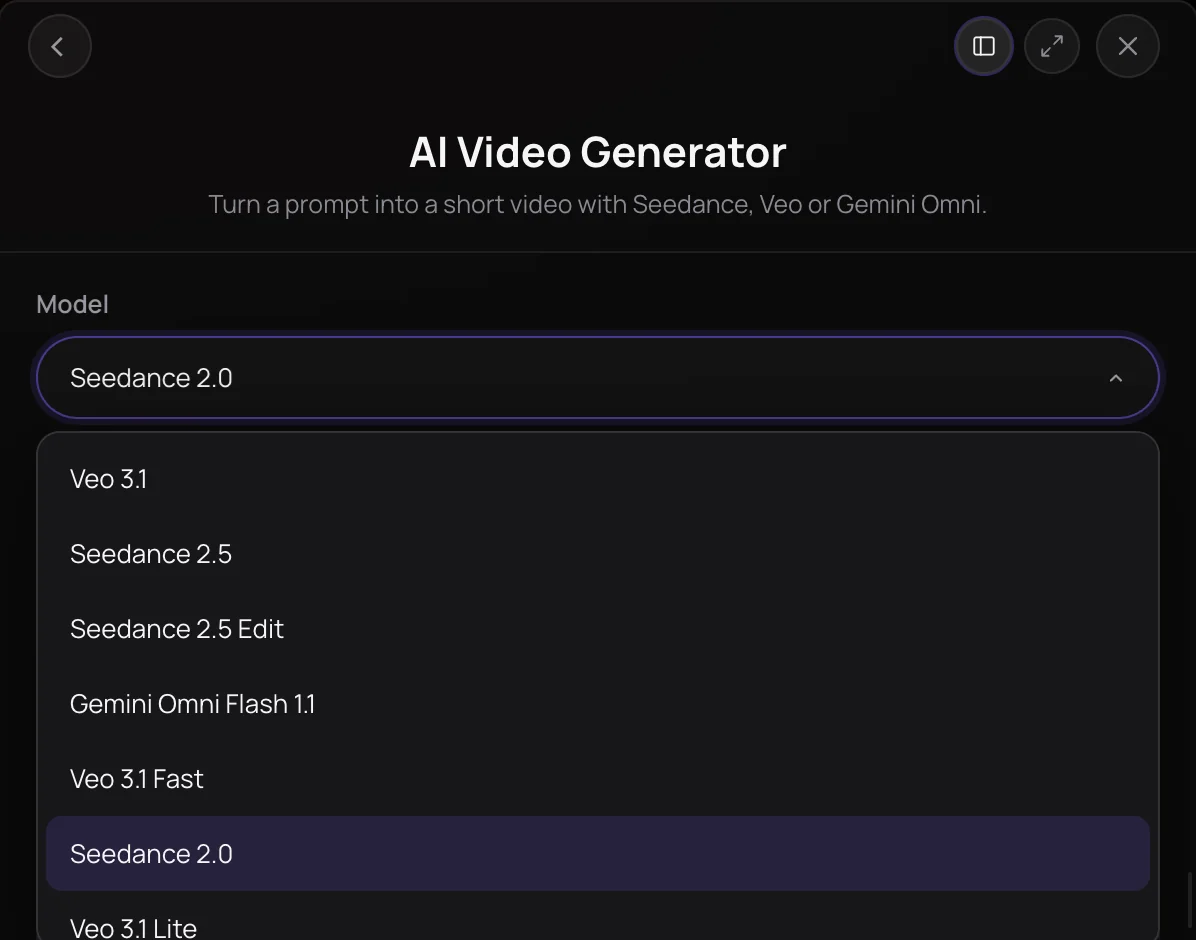
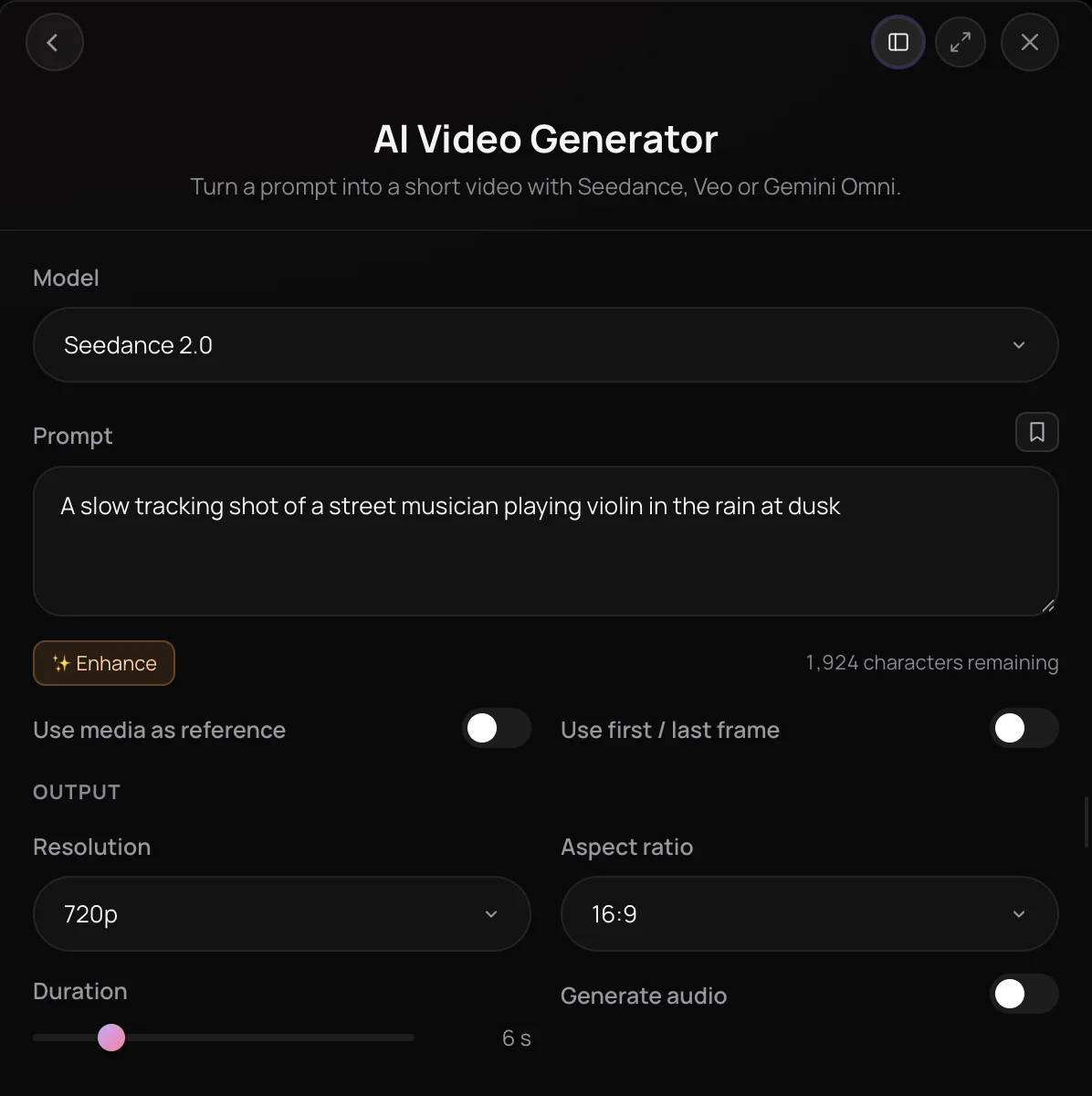
Seedance 2.0 is ByteDance's video model and the default in Soundverse's AI Video Generator: it turns a prompt, a first and last frame, or reference images, video and audio into a 4 to 15 second clip at 480p, 720p or 1080p. It also powers Lip Sync and Multi-Scene Video Builder, and Agent One uses it when you ask for a new clip without naming a model. It's for creators who need flexible shapes, 1080p clips and lip-synced performance shots.
What you can do
Ways to guide Seedance 2.0
Clips of 4 to 15 seconds at 480p, 720p or 1080p, on the Creator plan and above.
From a prompt (Creator+)
Describe the subject, action, camera and look of the clip.
- Wide 21:9 shot of a band playing on a desert highway at golden hour, slow push-in
- Square 1:1 loop of neon raindrops falling on a turntable
Reference media (Creator+)
Up to nine reference images, up to three reference video clips totaling 15 seconds, and up to three vocal clips of up to 15 seconds each.
First and last frame (Creator+)
Start and end the clip on images you choose with Use first / last frame.
Tools that run on Seedance 2.0
Seedance 2.0 is the default wherever you don't pick another video model.
Lip Sync (Creator+)
A simpler panel for the same portrait-plus-vocal lip-sync, with clips of 4 to 15 seconds.
Multi-Scene Video Builder (Creator+)
Films up to 10 Seedance 2.0 scenes of 4 to 15 seconds each and joins them into one video.
Agent One (Creator+)
Ask for a new clip without naming a model, and Agent One uses Seedance 2.0.
How it works
Open AI Video Generator
Open AI Video Generator under Create in AI Tools; Seedance 2.0 is already selected in the Model menu. In AI Studio, right-click a video lane and choose Generate Video.
Describe the shot
Write the subject, action, camera and look of the clip. Enhance can polish the prompt once you've written it.
Add references or frames
With Use media as reference on, add up to nine reference images, up to three reference clips totaling 15 seconds and up to three vocal clips from your Library. Or turn on Use first / last frame instead.
Set the output and generate
Choose 4 to 15 seconds, 480p, 720p or 1080p, an aspect ratio and whether to generate audio, then click Generate in Chat. The clip arrives in your chat and in Videos in your Library.
Why use Seedance 2.0
Six aspect ratios
Seedance 2.0 renders 16:9, 9:16, 1:1, 4:3, 3:4 and 21:9, so one model covers widescreen, vertical, square and ultra-wide shots.
1080p for longer clips
Seedance 2.0 is the only model in AI Video Generator that renders 1080p clips longer than 10 seconds, at any length up to 15 seconds.
Lip-sync from a vocal
Add a portrait as a reference image and a vocal of up to 15 seconds as reference audio, and Seedance 2.0 makes the character lip-sync to it.
The default across tools
Seedance 2.0 runs Lip Sync and every scene in Multi-Scene Video Builder, and Agent One uses it for a new clip when you don't name a model.
What it costs
Needs Creator or above.
- 5-second clip at 720p: 3,000 tokens at 600 tokens a second (about $7.49–$9.37 on Creator, with a top-up, or ₹299–₹374 in India); it holds 8,000 tokens when it starts.
- 5-second clip at 480p: 1,400 tokens at 280 tokens a second (about $3.50–$4.37 on Creator, with a top-up, or ₹140–₹175 in India); it holds 8,000 tokens when it starts.
- 5-second clip at 1080p: 6,250 tokens at 1,250 tokens a second (about $15.61–$19.52 on Creator, with a top-up, or ₹623–₹780 in India); it holds 8,000 tokens when it starts.
With a reference video the rates are 300, 620 and 1,600 tokens a second.
Every run holds more than Creator's 4,000 monthly tokens when it starts, so on Creator it needs a top-up. Pro includes 10,000 a month.
A clip holds its model's top rate for its length when it starts, and gives back what it doesn't use when it's done. Your balance has to cover the hold, so the hold decides whether a clip can start.
Agent One runs this tool for you, and the agent's own steps are metered on top of the tool's price: about 7 tokens a step in Lite mode, 54 in Standard mode and 128 in Pro mode, the default on paid plans.
Creator $12.49 a month, or $9.99 a month billed yearly ($119.88 a year) · Pro $31.24 a month, or $24.99 a month billed yearly ($299.88 a year) · Max from $72 a month, or $60 a month billed yearly ($720 a year).
In India (PayU): Creator ₹499 a month, or ₹399 a month billed yearly (₹4,788 a year) · Pro ₹1,299 a month, or ₹1,039 a month billed yearly (₹12,468 a year) · Max from ₹2,999 a month, or ₹2,399 a month billed yearly (₹28,788 a year).
Prices outside India are in US dollars, billed through Stripe; in India they are in rupees, billed through PayU. Monthly tokens reset each month and don't roll over.
Good to know
Real photos of faces
The safety filter blocks realistic human faces, so animating a real photo of a person often fails, and rewording won't help. Use a stylized character, or shots that don't show the face.
15 seconds per clip
For one clip of up to 30 seconds, use Seedance 2.5; for a longer video, Multi-Scene Video Builder.
Reference video costs more
Adding a reference video raises the per-second rate at every resolution.
Frequently asked questions
Is Seedance 2.0 free?
No. Seedance 2.0 is available on the Creator plan and above, and each run uses tokens per second: about 280 at 480p, 600 at 720p or 1,250 at 1080p, and more with a reference video. The default 6-second clip at 720p is about 3,600 tokens. AI Video Generator shows the estimate before you generate. Runs made in chat also go through Agent One, which adds at least 128 tokens in its default Pro mode, or 7 in Lite mode. Signing up for Soundverse is free.
How good is Seedance 2.0?
Judge Seedance 2.0 on your own shot. Seedance 2.0 is the model AI Video Generator, Lip Sync and Multi-Scene Video Builder start on, and it's the only one there that renders 1080p clips longer than 10 seconds. To compare, run the same prompt at 480p on Seedance 2.0 and on another model in the Model menu, then run the one that works at full resolution.
Can I use Seedance 2.0 videos commercially?
Seedance 2.0 runs on paid Soundverse plans, and paid plans include a commercial license; the Pricing page lists what each plan covers. You need the rights to anything you add as input, including reference images, video and audio and first and last frames. Only use a face or voice you own or have permission to use.
Why won't Seedance 2.0 animate my photo?
Seedance 2.0's safety filter blocks realistic human faces, so animating a real photo of a person often fails, and rewording the prompt won't help. Use a stylized or illustrated character instead of a photo, or choose shots that don't show the face. Real people, brand names and song lyrics in a prompt can also trigger Seedance 2.0's content filter.
What is Seedance 2.0?
Seedance 2.0 is ByteDance's video model and the default model in Soundverse's AI Video Generator. In Soundverse, Seedance 2.0 turns a prompt, a first and last frame, or reference images, video and audio into a 4 to 15 second clip at 480p, 720p or 1080p, in six aspect ratios.
How do I use Seedance 2.0 in Soundverse?
Open AI Video Generator, where Seedance 2.0 is already the default in the Model menu, describe the shot, set the output and click Generate in Chat. Agent One also uses Seedance 2.0 when you ask for a new clip without naming a model, and Lip Sync and Multi-Scene Video Builder run on Seedance 2.0 too. Seedance 2.0 is available on the Creator plan and above.
How long can a Seedance 2.0 video be?
Each Seedance 2.0 run makes one clip of 4 to 15 seconds, at 480p, 720p or 1080p. For one clip of up to 30 seconds, pick Seedance 2.5, which renders up to 720p. For a longer piece, Multi-Scene Video Builder films up to 10 Seedance 2.0 scenes of 4 to 15 seconds each and joins them into one video.
Can Seedance 2.0 make a character lip-sync?
Yes. In AI Video Generator, add a portrait of the character as a reference image and the vocal as reference audio, up to 15 seconds per clip, and Seedance 2.0 animates the mouth to it. Lip Sync offers the same thing in a simpler panel. A clean vocal from Stem Separator syncs more reliably than a full mix. Only use a face and voice you have permission to use.
How is Seedance 2.0 different from Seedance 2.5?
Seedance 2.5 makes longer clips, up to 30 seconds, and takes far more references: up to 30 images, 10 videos and 10 audio clips. Seedance 2.0 stops at 15 seconds and up to 9 images, 3 videos and 3 audio clips, but Seedance 2.0 renders 1080p, while Seedance 2.5 tops out at 720p. Seedance 2.0 stays the default in AI Video Generator.
Ready to make a clip with Seedance 2.0?
Open AI Video Generator, where Seedance 2.0 is already selected, and describe your first shot.
