AI models · Creator+
Gemini Omni Flash 1.1 clips with sound, any length from 3 to 10 s
Make 720p or 1080p clips in 16:9 or 9:16 from a prompt, frames or reference images, always with sound, and extend short clips in Agent One.
1,000 free tokens to start · No card needed · Cancel paid plans anytime
Unlock Gemini Omni Flash 1.1 with Creator — from $9.99/mo, or ₹399/mo in India. 4,000 tokens a month. Billed $119.88 a year, or $12.49 month to month.
What you get
The length you need
Pick any whole number of seconds from 3 to 10 instead of fixed steps, so the clip fits your edit.
Sound on every clip
Gemini Omni Flash 1.1 always renders a soundtrack with the picture, so there's nothing to add before you post.
Keep a short clip going
Attach a clip of up to 10 seconds in Agent One and ask Gemini Omni Flash 1.1 to continue it or change it.
Who it's for
Content creators and YouTubers
Make vertical clips with sound, at whatever length from 3 to 10 seconds the post needs.
Video editors
Fill a gap of a set length in a cut, or continue a short clip that ends too soon.
Musicians making vertical music videos
Pick Gemini Omni Flash 1.1 in AI Music Video Generator so each scene of a 9:16 video is shot on it.
Character-led storytellers
Keep one character consistent with up to three reference images, in vertical or widescreen clips of 3 to 10 seconds.
When to use it
- Your edit needs a clip of a set length, like 7 seconds
- A short clip ends too soon and you want it to keep going
- You want sound on every clip without a separate step
- You want reference images to guide a vertical clip
- You're making a vertical music video without lip-sync
What you can make with it
A clip sized for your edit
Ask for exactly the seconds your edit needs, from 3 to 10; the length is a target, so allow a little either way.
A short clip, continued
In Agent One, attach a clip of 10 seconds or less, name Gemini Omni Flash 1.1 and say what happens next. This isn't available in the EEA, Switzerland or the UK.
One change to a short clip
Ask Agent One to change one thing in a clip of 10 seconds or less; your original stays as it was, and the edit is saved as a new video. Like continuing a clip, this isn't available in the EEA, Switzerland or the UK.
Vertical character shots
Use up to three reference images of a character in a vertical 9:16 clip, at any length from 3 to 10 seconds.
A street scene with its own sound
Describe the action and its sound in one go, like a drummer playing under a bridge at night, with the beats echoing.
Vertical music video scenes
Leave AI Music Video Generator on Auto for a 9:16 video without lip-sync, and it shoots the scenes on Gemini Omni Flash 1.1.
1080p for the tokens of 720p
Choose 1080p at the same token cost as 720p; it's an upscale of the same render.
Clips made on the timeline
In AI Studio, a video lane's right-click menu has Generate Video, with Gemini Omni Flash 1.1 among the models.
Screenshots
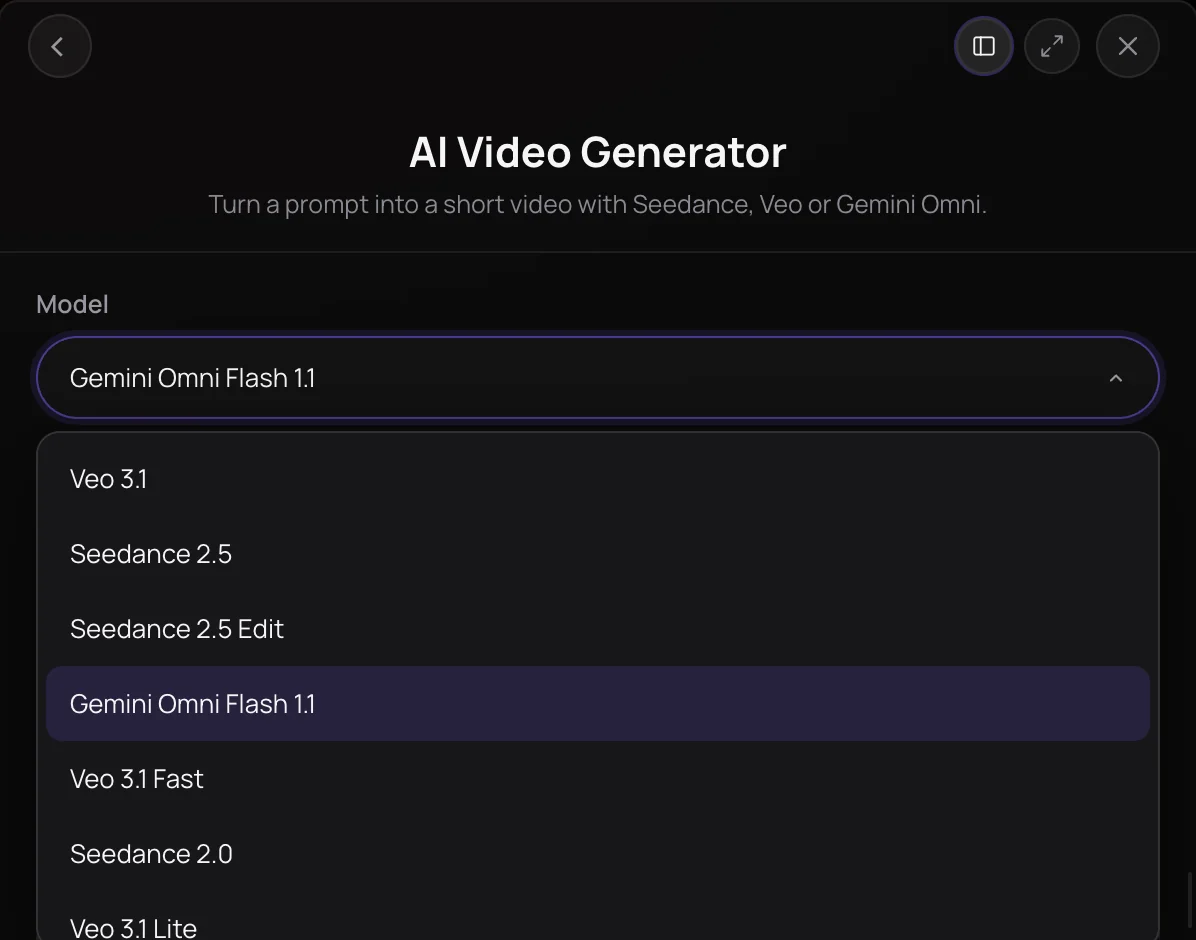
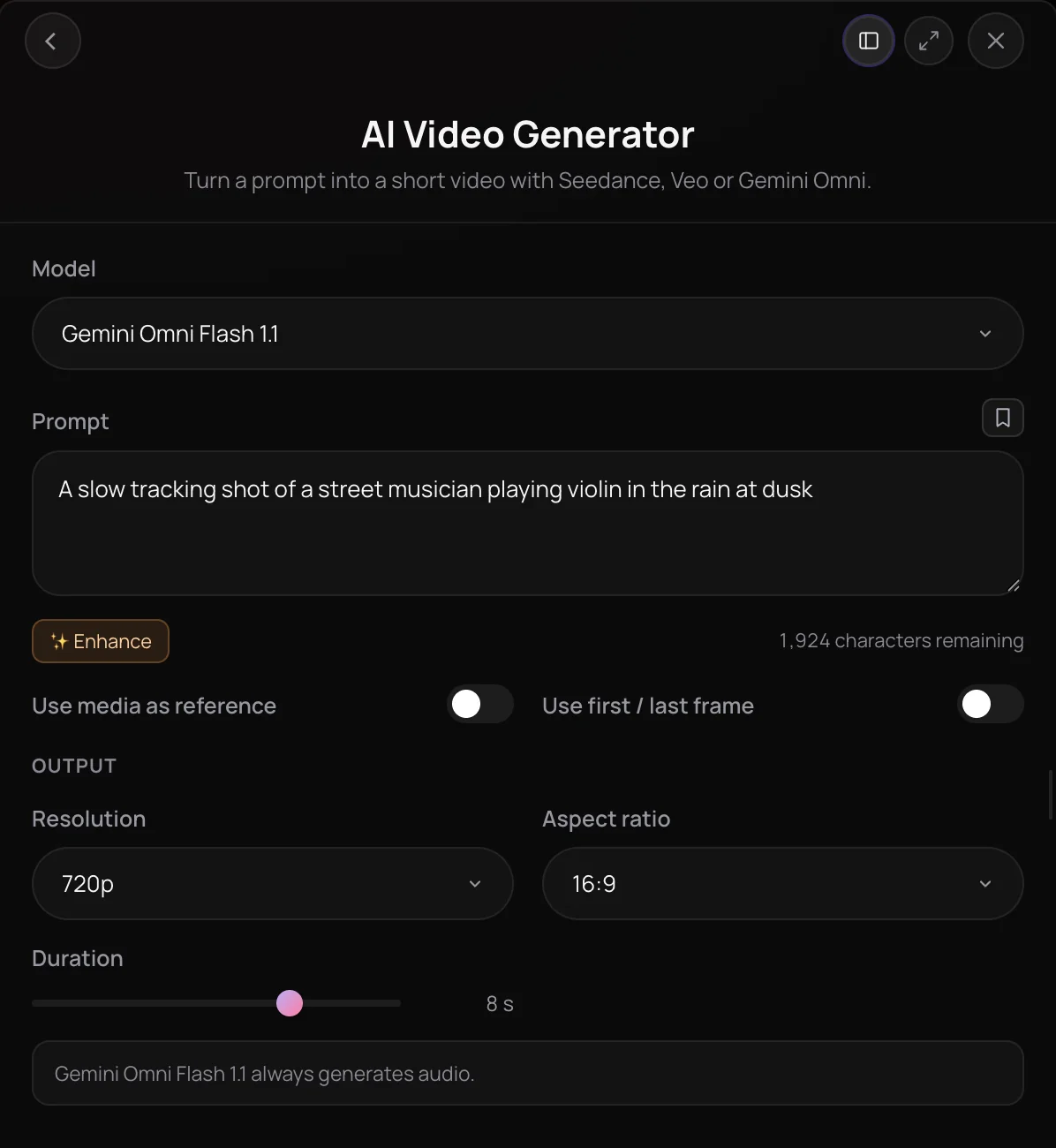
Gemini Omni Flash 1.1 is Google's video model, and in Soundverse it turns a prompt, a first and last frame, or up to three reference images into a clip of any whole length from 3 to 10 seconds, at 720p or 1080p in 16:9 or 9:16, always with a soundtrack. Through Agent One, it can also extend or edit a clip of up to 10 seconds. It's for creators who want flexible clip lengths, vertical shots and a way to continue a short clip.
See it in action
- New AI Models on Soundverse: Google Lyria 3.5, Veo 3.1, Seedance 2.5 and More One Halloween brief run through each new model on Soundverse, Gemini Omni Flash 1.1 among the video models, with every result shown as it came back.
What you can do
In AI Video Generator
New clips of 3 to 10 seconds, at 720p or 1080p in 16:9 or 9:16, on the Creator plan and above.
From a prompt (Creator+)
Describe the action, camera and mood, with any sound or dialogue in sentences of their own.
- A 6 second vertical shot of a street drummer under a bridge at night, echoing beats, steam rising
Reference images (Creator+)
Add up to three reference images from your Library, at either shape and any length.
First and last frame (Creator+)
Start and end the clip on images you choose with Use first / last frame.
Through Agent One
Attach a clip in an Agent One chat and name Gemini Omni Flash 1.1.
Extend a clip (Creator+)
Continue an MP4 of up to 10 seconds and 100 MB with what should happen next; you get a new 3 to 10 second clip with sound.
- Extend this clip with Gemini Omni Flash 1.1 so the camera keeps flying over the city
Edit a clip (Creator+)
Describe a change to a clip of up to 10 seconds. Extending and editing aren't available in the EEA, Switzerland or the UK.
How it works
Pick Gemini Omni Flash 1.1
Open AI Video Generator under Create in AI Tools and choose Gemini Omni Flash 1.1 in the Model menu. In AI Studio, right-click a video lane and choose Generate Video.
Describe the shot
Write what happens, with any sound or dialogue in sentences of their own; Gemini Omni Flash 1.1 always needs a prompt. Enhance can polish it once you've written it.
Add images if you like
Leave Use media as reference on to add up to three reference images from your Library, at either shape and any length. Or turn on Use first / last frame to start and end on images you choose.
Set the output and generate
Pick 3 to 10 seconds, 720p or 1080p and 16:9 or 9:16, then click Generate in Chat. The clip, always with sound, arrives in your chat and in Videos in your Library.
Why use Gemini Omni Flash 1.1
Any length from 3 to 10 seconds
Set Gemini Omni Flash 1.1 to any whole number of seconds from 3 to 10, instead of fixed 4, 6 or 8 second steps.
References at any shape or length
Add up to three reference images at either shape and any length, where Veo 3.1 accepts reference images only at 16:9 and 8 seconds.
Extend a short clip
Attach a clip of up to 10 seconds in Agent One and ask Gemini Omni Flash 1.1 to continue it or change it. The result is saved as a new video named after the original.
Vertical music videos
AI Music Video Generator can film every scene on Gemini Omni Flash 1.1, and on Auto it picks Gemini Omni Flash 1.1 for vertical 9:16 videos unless the singer lip-syncs.
What it costs
Needs Creator or above.
- 5-second clip: 600 tokens at 120 tokens a second (about $1.50–$1.87 on Creator, or ₹60–₹75 in India).
- 10-second clip (the longest): 1,200 tokens at 120 tokens a second (about $3.00–$3.75 on Creator, or ₹120–₹150 in India).
Agent One runs this tool for you, and the agent's own steps are metered on top of the tool's price: about 7 tokens a step in Lite mode, 54 in Standard mode and 128 in Pro mode, the default on paid plans.
Creator $12.49 a month, or $9.99 a month billed yearly ($119.88 a year) · Pro $31.24 a month, or $24.99 a month billed yearly ($299.88 a year) · Max from $72 a month, or $60 a month billed yearly ($720 a year).
In India (PayU): Creator ₹499 a month, or ₹399 a month billed yearly (₹4,788 a year) · Pro ₹1,299 a month, or ₹1,039 a month billed yearly (₹12,468 a year) · Max from ₹2,999 a month, or ₹2,399 a month billed yearly (₹28,788 a year).
Prices outside India are in US dollars, billed through Stripe; in India they are in rupees, billed through PayU. Monthly tokens reset each month and don't roll over.
Good to know
Always has sound
Gemini Omni Flash 1.1 has no switch to turn audio off, and it takes no audio input, so it can't lip-sync to your vocal.
Length is a target
A clip can come back slightly shorter or longer than you asked, and you're charged for the length you requested.
Region limits on clip edits
Extending and editing a clip aren't available in the EEA, Switzerland or the UK; if a region blocks it, nothing is charged.
Frequently asked questions
Is Gemini Omni Flash 1.1 free?
No. Gemini Omni Flash 1.1 is available on the Creator plan and above, and each run uses about 120 tokens per second of the length you request, the same at 720p and 1080p, so an 8-second clip is about 960 tokens. AI Video Generator shows the estimate before you generate. Runs made in chat also go through Agent One, which adds at least 128 tokens in its default Pro mode, or 7 in Lite mode. Signing up for Soundverse is free.
How good is Gemini Omni Flash 1.1?
Judge Gemini Omni Flash 1.1 on your own shot. In October 2026, Soundverse posted a video that runs one Halloween brief through each of its new models, Gemini Omni Flash 1.1 included, and shows exactly what came back. Its 1080p output is an upscale of the same render and costs the same as 720p, so picking 1080p adds nothing to the token cost.
Can I use Gemini Omni Flash 1.1 videos commercially?
Gemini Omni Flash 1.1 runs on paid Soundverse plans, and paid plans include a commercial license; the Pricing page lists what each plan covers. You need the rights to every image and clip you add, including any video you extend or edit. Only show a face you own or have permission to use; real people, public figures, brand names and song lyrics in a prompt can trigger Gemini Omni Flash 1.1's safety filter.
What can't Gemini Omni Flash 1.1 do?
Gemini Omni Flash 1.1 can't make a silent clip, because it always generates a soundtrack, and it takes no audio input, so it can't lip-sync a character to your vocal. Clips stop at 10 seconds, and extending or editing a clip isn't available in the EEA, Switzerland or the UK. For silence, pick Veo 3.1 or Seedance 2.0 and turn Generate audio off; for lip-sync, use Seedance 2.0, Seedance 2.5 or Lip Sync.
What is Gemini Omni Flash 1.1?
Gemini Omni Flash 1.1 is Google's video model, available in Soundverse's AI Video Generator and through Agent One. In Soundverse, Gemini Omni Flash 1.1 makes 3 to 10 second clips at 720p or 1080p in 16:9 or 9:16 from a prompt, frames or up to three reference images, always with sound, and through Agent One it can also extend or edit a clip of up to 10 seconds.
How do I use Gemini Omni Flash 1.1 in Soundverse?
Open AI Video Generator, choose Gemini Omni Flash 1.1 in the Model menu, describe the shot and click Generate in Chat. You can also right-click a video lane in AI Studio and choose Generate Video, or ask Agent One by name, such as "make a 6 second vertical clip with Gemini Omni Flash 1.1". Gemini Omni Flash 1.1 is available on the Creator plan and above.
Can Gemini Omni Flash 1.1 extend or edit my video?
Yes, through Agent One. Attach an MP4 of up to 10 seconds and 100 MB, ask for Gemini Omni Flash 1.1 and describe what should happen next or what to change, and you get a new clip of 3 to 10 seconds with sound. The AI Video Generator panel doesn't offer this; there, Seedance 2.5 Edit changes clips of up to 30 seconds. Extending and editing aren't available in the EEA, Switzerland or the UK.
How long are Gemini Omni Flash 1.1 videos?
Gemini Omni Flash 1.1 makes one clip of any whole length from 3 to 10 seconds per run. Gemini Omni Flash 1.1 treats the length as a target, so a clip can come back slightly shorter or longer than you asked, and you're charged for the length you requested. Gemini Omni Flash 1.1's 1080p output is an upscale of the same render, at the same cost as 720p.
How is Gemini Omni Flash 1.1 different from Veo 3.1?
Gemini Omni Flash 1.1 and Veo 3.1 are both Google video models that render 720p or 1080p in 16:9 or 9:16. Veo 3.1 makes fixed 4, 6 or 8 second clips, renders 1080p only at 8 seconds, takes reference images only at 16:9 and 8 seconds, and lets you switch sound off. Gemini Omni Flash 1.1 takes any length from 3 to 10 seconds, uses reference images at any shape and length, and always adds sound.
Ready to try Gemini Omni Flash 1.1?
Open AI Video Generator, pick Gemini Omni Flash 1.1 in the Model menu and describe your shot.
